Client Configuration
NCache uses a thin-client configuration model in which client applications do not require a local NCache configuration file. Instead, the application provides only the information required to establish a connection with the cache. You can copy this information from the NCache Management Center or a PowerShell console as demonstrated below.
Using the NCache Management Center
You can view the application-side connection configuration for a cache through the NCache Management Center.
Launch the NCache Management Center by browsing to http://localhost:9801 or
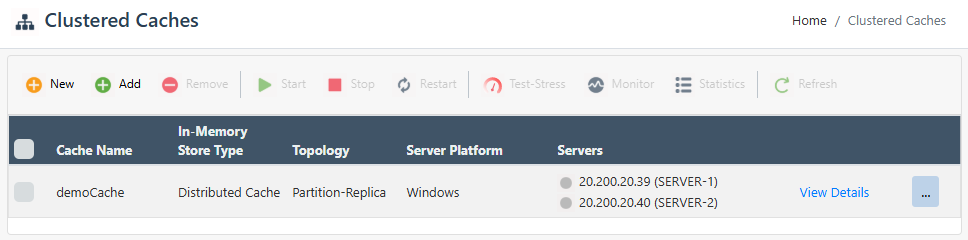
<server-ip>:9801.In the left navigation bar, click on Local Caches or Clustered Caches based on the cache you want to configure. This opens a new page. It shows any existing local or clustered caches and additional details like Server and Server Platform.
In the Server Nodes section, navigate to the Client Configuration tab. Choose the type of configuration file your application uses.
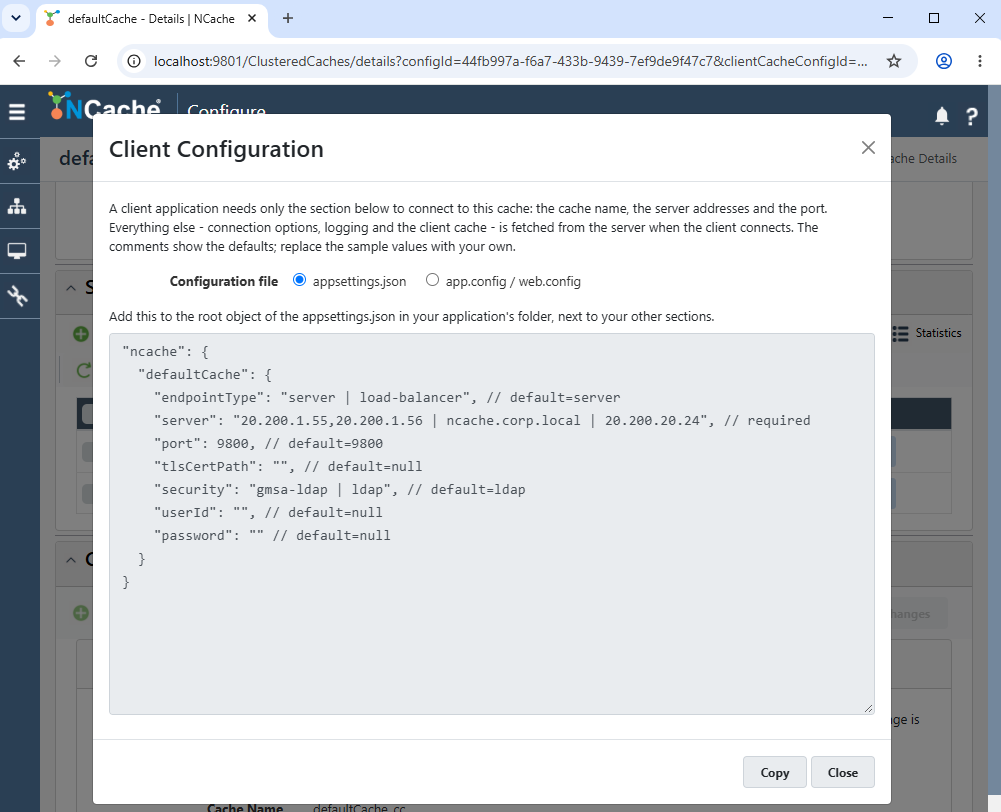
Add the provided configuration to the root object of the appsettings.json file in your application's folder. Alternatively, add the following inside
<configuration>of the app.config/web.config of your application.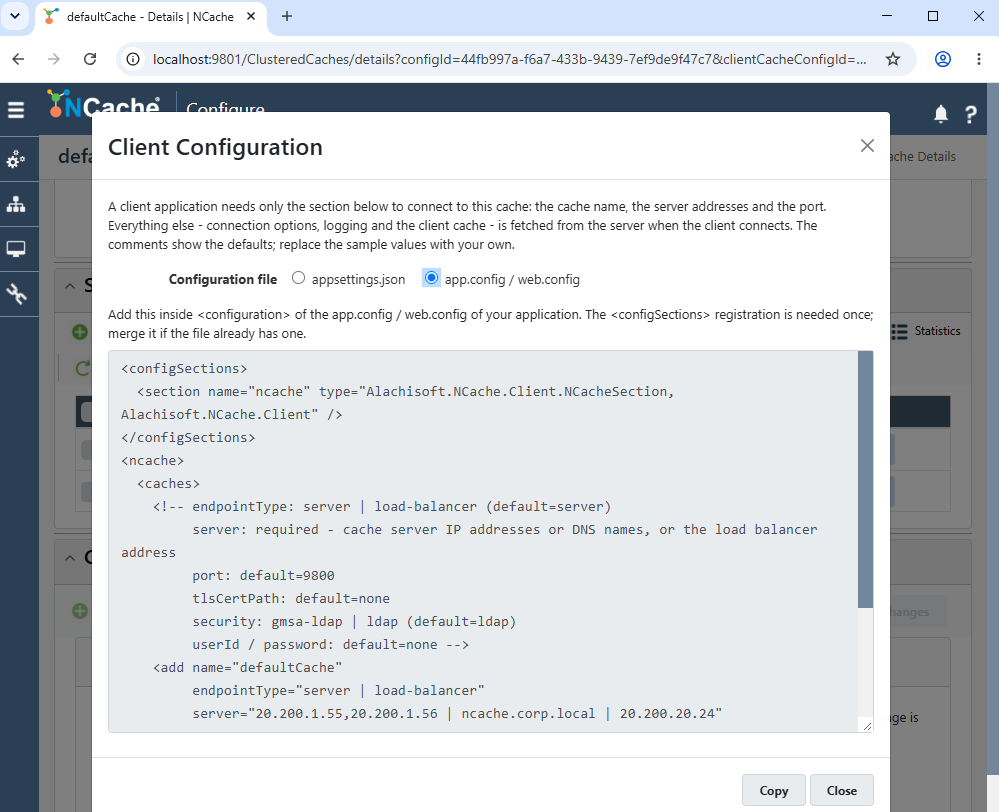
Essentially, the Client Configuration tab provides the minimum configuration that a client application requires to connect to the selected cache. This includes the cache name, server endpoint information, port, and applicable security settings.
After the application establishes its initial connection, NCache retrieves the remaining client behavior settings from the cache server. These settings are maintained centrally with the cache configuration rather than on individual client machines. When these settings are changed on the server, client applications obtain the applicable configuration from the server.
Note
Learn how to connect to cache using the NCache API in the Developer's Guide.
