Subscribe and Launch NCache Cloud
NCache Cloud can be subscribed to and deployed directly from AWS Marketplace using an AWS Auto Scaling Group (ASG) based deployment model. The deployment process uses AWS CloudFormation to automatically provision and configure the AWS infrastructure and NCache server instances required for the environment. Through this deployment process, AWS creates and configures resources such as Amazon EC2 instances, networking components, Auto Scaling Groups, security configurations, and supporting deployment resources required for the NCache cluster.
This page walks through the process of subscribing to NCache Cloud from AWS Marketplace and launching the CloudFormation deployment workflow for the NCache environment. Follow the steps below to subscribe to and launch NCache Cloud.
Step 1: Navigate to AWS Marketplace
- Open the AWS Marketplace and navigate to the Discover products page.
Search for NCache Cloud and select it from the search results. This will take you to the NCache Cloud product overview page in AWS Marketplace.
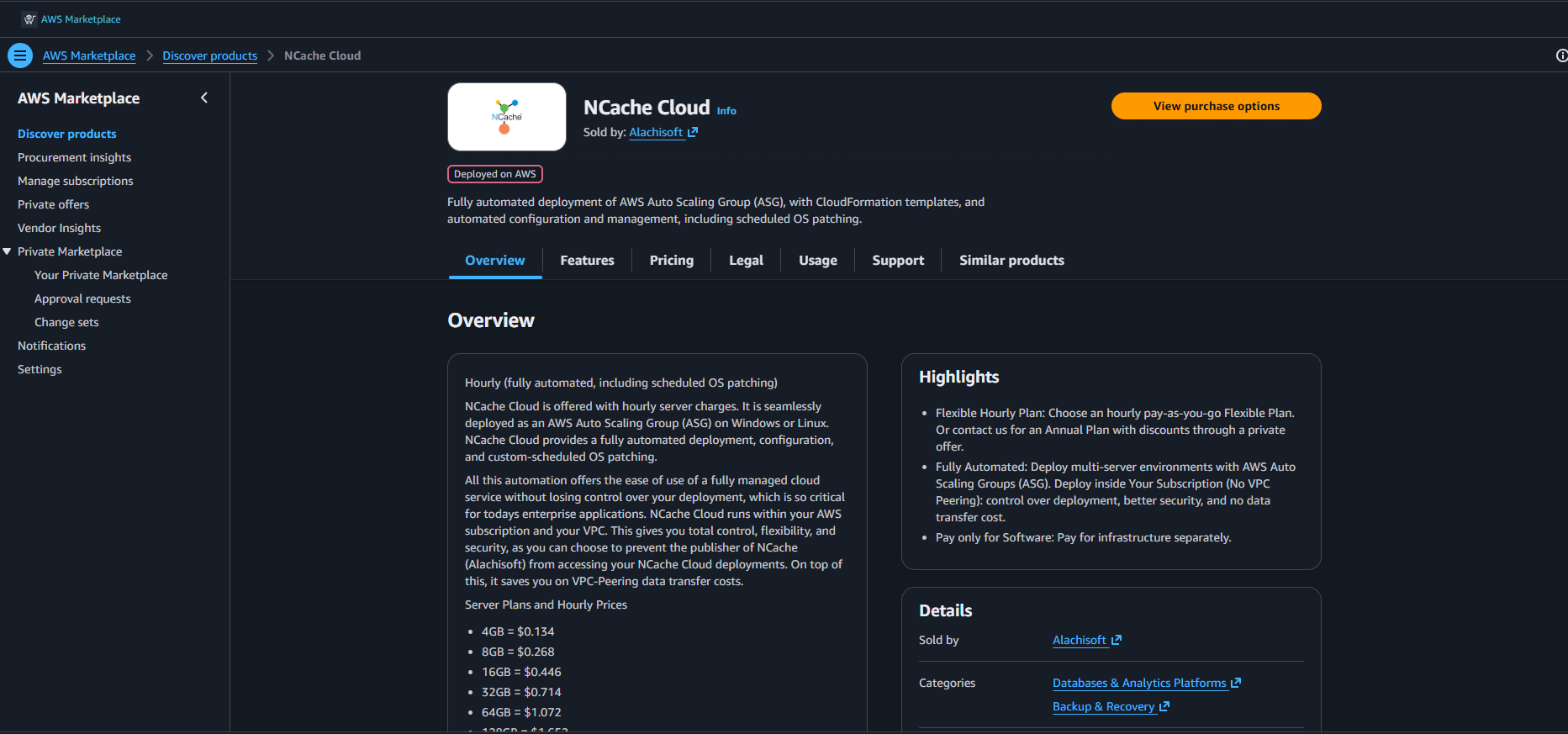
After reviewing the product offering and details, click View purchase options to proceed. Upon clicking, the Purchase options for NCache Cloud page will appear, where you can review the available offers and pricing details.
NCache Cloud offers a fully automated hourly deployment plan for deploying NCache clusters on AWS using Auto Scaling Groups (ASG) and AWS CloudFormation. The hourly plan provides a pay-as-you-go deployment model where you are charged hourly for the selected NCache server plan, while AWS infrastructure costs are billed separately through your AWS subscription. This deployment model allows you to deploy multi-server NCache environments directly within your own AWS subscription and VPC, giving you full control over networking, security, and deployment management. It also provides automated deployment, automated operating system patching, and simplified infrastructure provisioning for the NCache cluster. The overview page also displays the available server plans and hourly pricing details for configurations ranging from 4GB, 8GB, 16 GB, 32GB, 64GB and 256GB server plans.
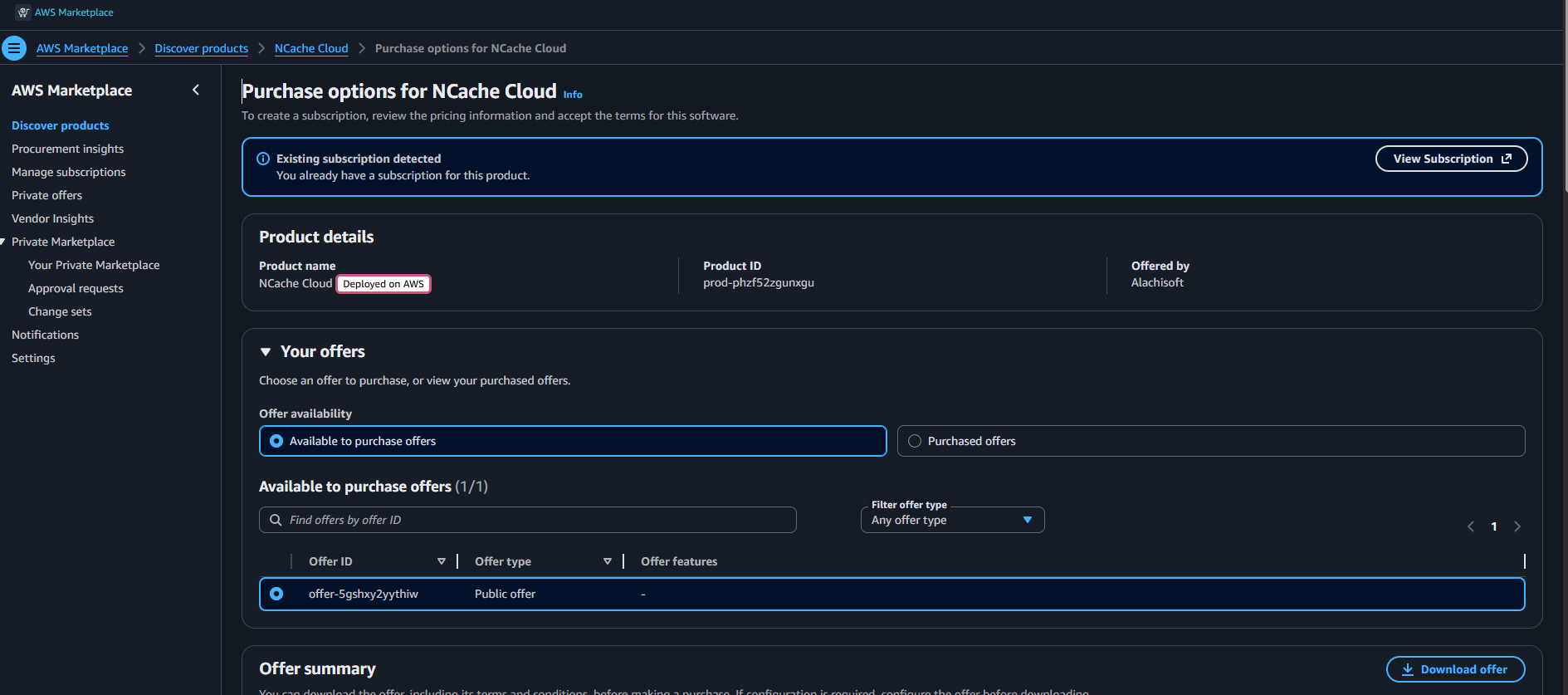
Step 2: Subscribe to NCache Cloud
On the Purchase options for NCache Cloud page, review the offer and pricing details carefully before proceeding with the subscription.
This page provides information related to:
- Product pricing and recurring subscription cost
- Hourly usage-based billing details
- Estimated taxes and invoice information
- Offer type and offer availability
- AWS Marketplace terms and conditions
- Purchase order configuration options
- Additional AWS infrastructure cost information
The pricing section also explains that AWS Marketplace charges a recurring subscription fee for the product, while AWS infrastructure resources such as Amazon EC2, storage, and networking are billed separately through your AWS subscription.
After reviewing the offer details, click Subscribe from the bottom-right corner of the page to subscribe to the NCache Cloud Marketplace offering.
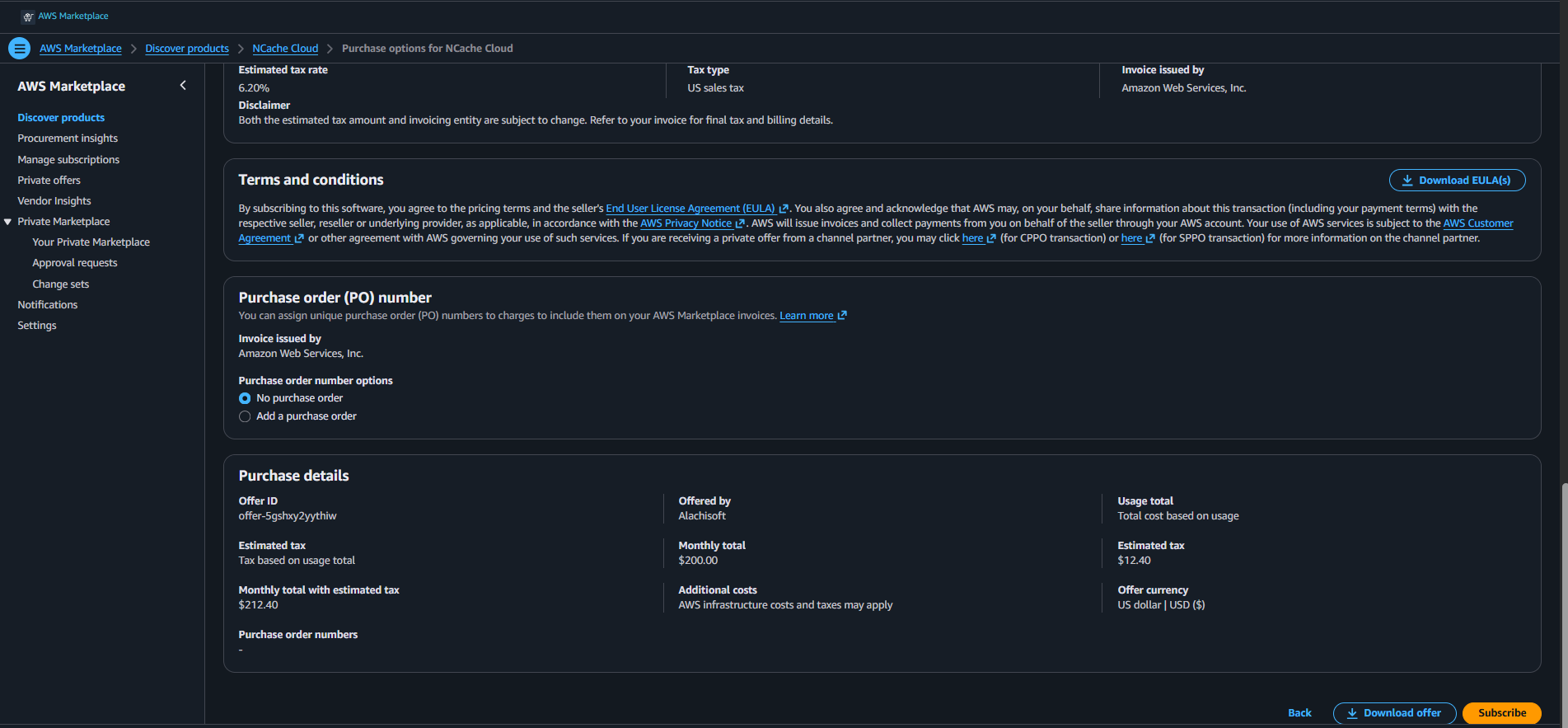
Clicking Subscribe accepts the Marketplace offering and enables the product for deployment within your AWS account.
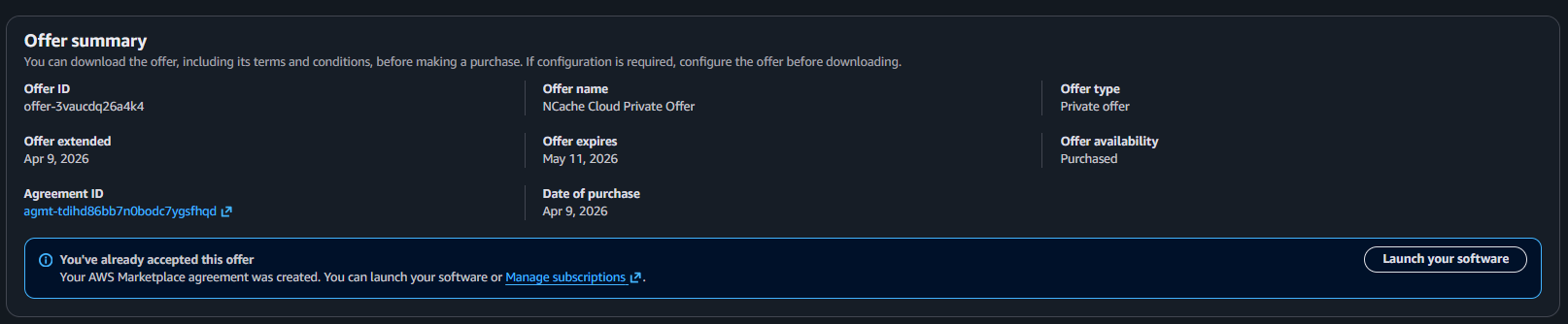
Upon successful subscription, locate the Offer summary on the available page. This section displays deployment-related information such as:
Offer ID
Unique identifier assigned by AWS Marketplace to the selected NCache Cloud offering.Offer Type
Specifies the type of Marketplace offer being used, such as a public offer or private offer.Offer Availability
Indicates whether the selected offer is currently available for subscription and deployment.Pricing Summary
Displays subscription pricing, recurring charges, and usage-based billing information associated with the offer.Subscription Information
Displays details related to the active Marketplace subscription for the selected offering.
The Offer summary page also provides access to deployment actions and downloadable offer details associated with the Marketplace subscription.
From the Offer summary section, click Launch your software to begin the NCache Cloud deployment process.
Step 3: Launch NCache Cloud
Upon clicking Launch your software, the Launch NCache Cloud page will open.
This page displays deployment configuration details required for launching the NCache Cloud environment through AWS Marketplace.
The displayed information includes:
Service
Specifies the AWS deployment service that will be used for provisioning the environment. For NCache Cloud, the deployment uses AWS CloudFormation, which automatically creates and configures the required AWS infrastructure resources.Launch Method
Specifies the deployment mechanism used by the Marketplace offering. This determines how AWS Marketplace initiates the deployment workflow for the selected product.Available Version
Displays the available NCache Cloud Marketplace version that will be deployed. This version determines the NCache software version and associated deployment image used during provisioning.
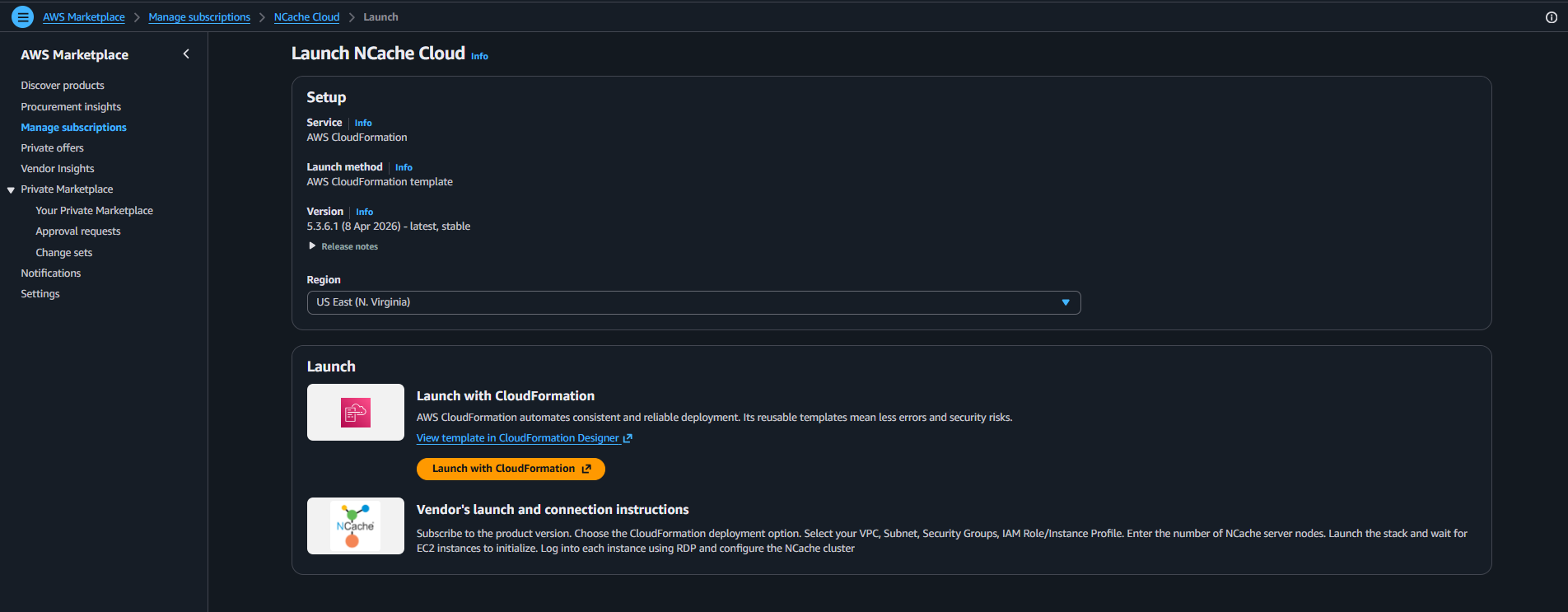
From the Region dropdown, select the AWS Region where you want to deploy NCache.
The selected AWS Region determines where the deployment resources such as Amazon EC2 instances, networking components, storage resources, and Auto Scaling Group infrastructure will be created. It is recommended to select the region closest to your application environment or users for lower latency and improved performance.
After selecting the desired region and reviewing the deployment configuration, click Launch with CloudFormation under the Launch section.
Clicking Launch with CloudFormation initiates the AWS CloudFormation deployment workflow using the NCache Cloud Marketplace template.
After completing these steps, you will be redirected to the Create Stack page in AWS CloudFormation, where you can configure and deploy your NCache cluster.
