Bridge Configuration
The Bridge Configuration page displays the detailed settings of a selected bridge. This page is opened by clicking View Details from the Bridges page.
Bridge Caches
The Bridge Caches section displays the caches associated with the selected bridge.

Each row displays the following information:
- Cache Full Name: Displays the complete name of the clustered cache associated with the bridge.
- Mode: Displays the operational mode of the cache within the bridge, such as active or passive.
The toolbar provides the following options:
| Button | Description |
|---|---|
| Add | Adds a clustered cache to the bridge. |
| Remove | Removes the selected clustered cache from the bridge. |
| Make Active | Sets the selected cache as the active cache. |
| Make Passive | Sets the selected cache as the passive cache. |
| Sync Caches | Initiates synchronization between the bridge caches. |
Bridge Nodes
The Bridge Nodes section displays all nodes participating in the bridge.
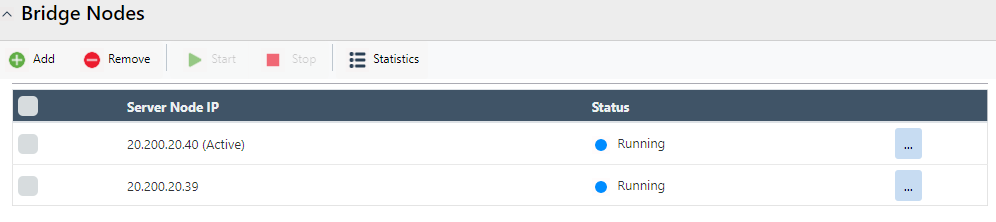
Each row displays the following information:
- Server Node IP: Displays the IP address of the bridge node.
- Status: Displays the runtime state of the bridge node, such as Running or Stopped.
The toolbar provides the following options:
| Button | Description |
|---|---|
| Add | Adds a new bridge node. |
| Remove | Removes the selected bridge node. |
| Start | Starts the selected bridge node. |
| Stop | Stops the selected bridge node. |
| Statistics | Displays runtime statistics for the selected bridge node. |
Bridge Settings
The Bridge Settings section provides configuration options related to bridge communication, queue management, retry behavior, and performance monitoring.
Bridge Identification
The Bridge Port specifies the port on which each bridge node listens for connections from other bridge nodes. Each bridge configured on the same node must use a unique port.

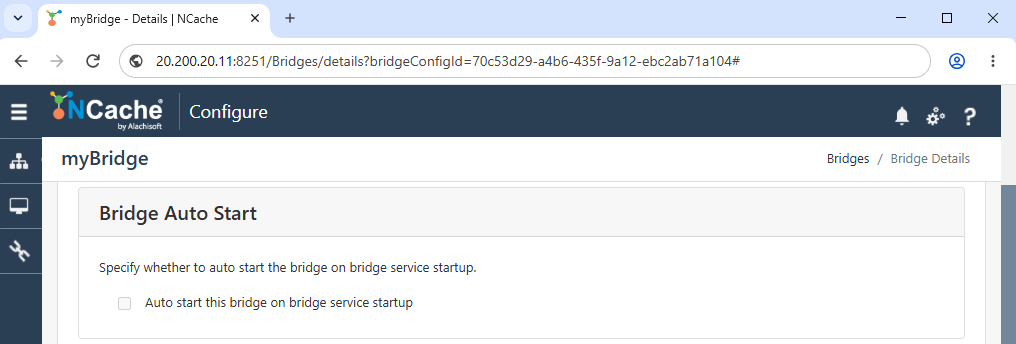
Bridge Auto Start
The Auto start this bridge on bridge service startup option automatically starts the bridge when the bridge service starts.
Bridge Queue
The Enable queue optimization option enables queue optimization for bridge replication.

Queue Size specifies the upper limit of the bridge queue in MB. The number of items that can be held in the queue also depends on the available physical and virtual memory.
Replicator Queue Size specifies the virtual size of each replicator queue in MB.
Bulk Operations and Retry Interval
The Bulk Operations and Retry Interval controls replication according to the underlying network performance to improve Bridge replication performance.
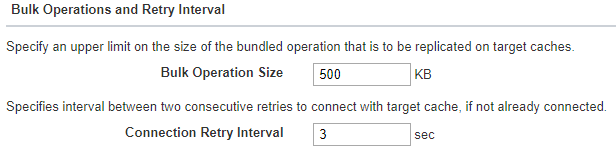
Bulk Operation Size specifies the upper size limit, in KB, for a bundled operation replicated to the target caches.
Connection Retry Interval specifies the interval, in seconds, between consecutive attempts to connect to a target cache when a connection has not been established.
Performance Counters
The Enable Performance Counters option controls the collection of counters used to display bridge statistics. Disabling performance counters may improve bridge performance.

Note
Bridge Performance Counters are available on Windows only.
At the bottom of this section, Save Changes and Discard Changes options are available to apply or revert modifications.
