New Bridge
The New Bridge wizard in NCache Management Center provides a step-by-step interface for configuring a bridge cache. Each step exposes settings related to bridge identification, participating nodes, queue configuration, and replication behavior.
Bridge Identification
The Bridge Identification step defines the unique name of the bridge.
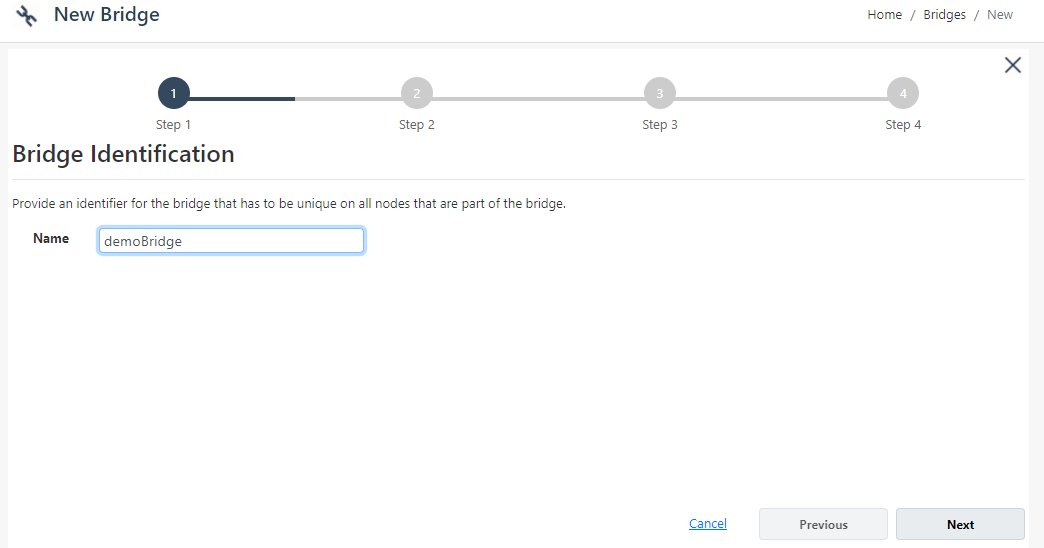
- The Name field specifies the identifier of the bridge. The bridge name must remain unique across all nodes participating in the bridge.
Bridge Member Nodes
The Bridge Member Nodes step allows you to define the server nodes participating in the bridge.
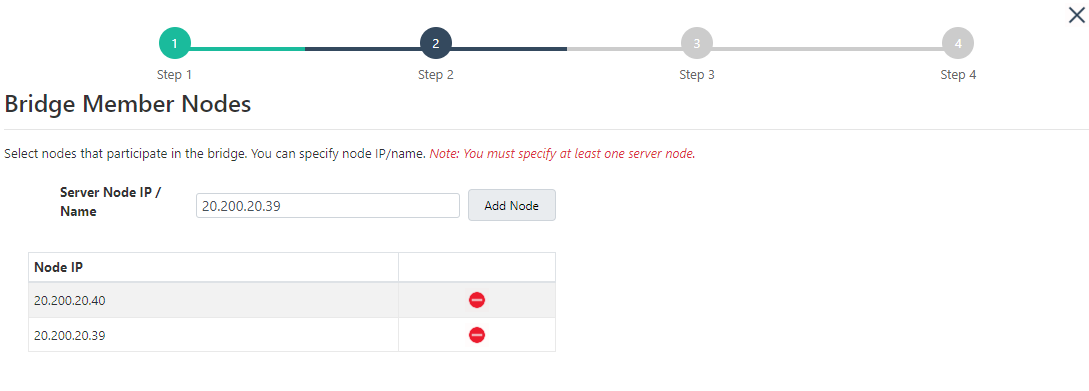
The Server Node IP / Name field specifies the IP address or hostname of a bridge node.
The Add Node button adds the specified node to the bridge configuration. Added nodes appear in the node list displayed below the input field. At least one bridge node must be configured before proceeding to the next step.
Bridge Port and Queues
The Bridge Port and Queues step provides configuration options related to bridge communication and queue management.
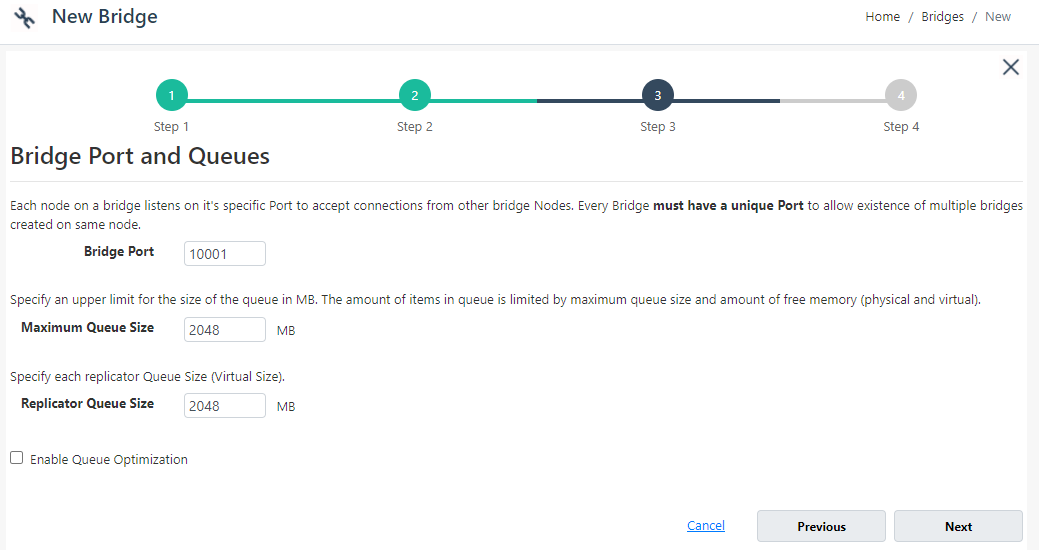
The Bridge Port field specifies the communication port used by bridge nodes. Each bridge must use a unique port number.
The Maximum Queue Size setting defines the maximum memory allocation for the bridge queue.
The Replicator Queue Size field specifies the queue size used for replication operations.
The Queue Optimization option optimizes queue handling behavior for bridge replication.
Target Cache Options
The Target Cache Options step defines replication and connection retry settings for the target cache.
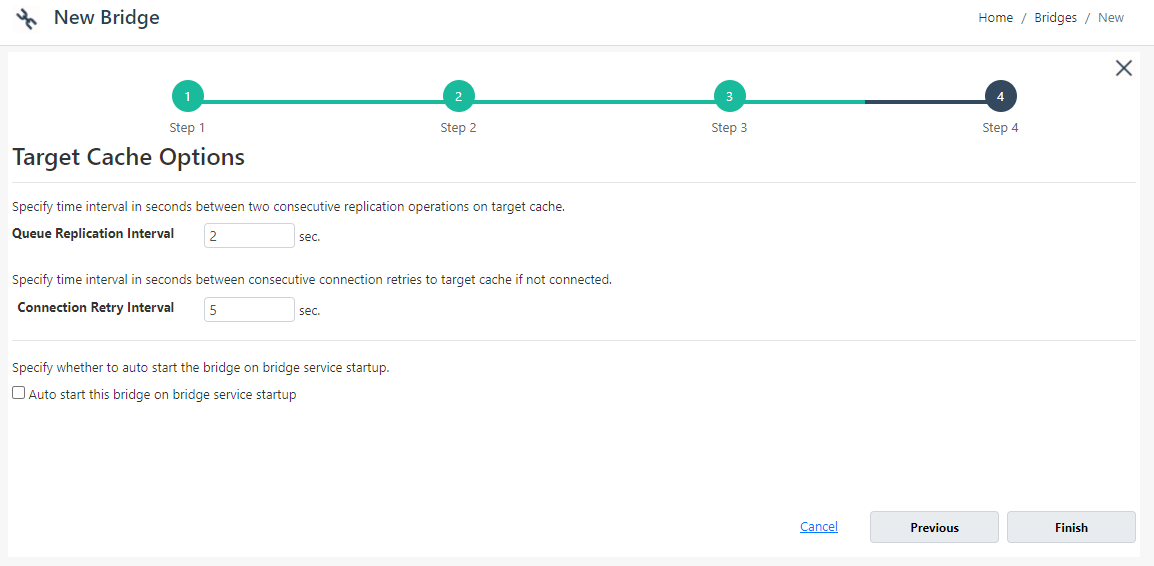
The Queue Replication Interval setting specifies the interval between consecutive replication operations.
The Connection Retry Interval field defines how frequently bridge nodes retry connection attempts if the target cache becomes unavailable.
The Auto start this bridge on bridge service startup option starts the bridge automatically when the bridge service starts.
Navigation Controls
The wizard provides navigation controls at the bottom of each step. Next moves to the next step, while Previous returns to the previous step. On the final step, Finish creates the bridge using the selected settings. The Cancel option closes the wizard without saving changes.
