Configure Write-through for Write-behind Cache Operations
The Write-behind feature in NCache allows cache updates (Add, Update, Remove) to be immediately acknowledged by the application while the corresponding data source operations are queued for execution in the background. This reduces application latency and preventing database bottlenecks during high-throughput scenarios. The Write-behind process can be configured to control performance through options like batching, rate limiting (operations per second), retry queues, and eviction ratio, all of which can be adjusted in the NCache Management Center or via PowerShell cmdlets.
Important
Before deploying your .dll files, ensure you have the appropriate .NET Version installed as discussed in the NCache Installation Guide.
Using the NCache Management Center
Launch the NCache Management Center by browsing to http://localhost:9801 or
<server-ip>:9801.In the left navigation bar, click on Clustered Caches or Local Caches, based on the cache to which the backing source will be configured. Against the cache name, click on View Details.
Make sure that the cache is stopped.
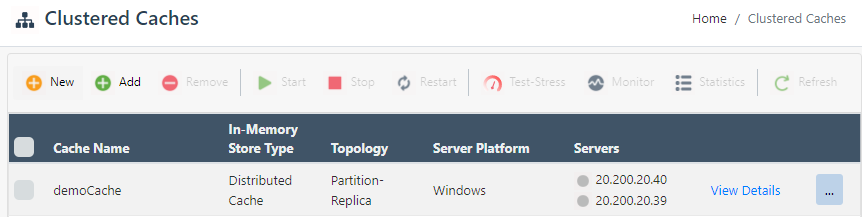
This opens up the detailed configuration page for the cache. Go to the Advanced Settings tab and click on Backing Source in the left bar.
Configure a Write-through provider as explained in Configuring Write-through Provider.

Once here, you can change or specify the values as per your application requirement(s).
Select the Enable Batching checkbox to perform all Write-behind operations on the data source in bulk/batches. You can also configure the Batch-interval(s) and Operation-delay(ms) for the batching mode.
Change the value for Operations per second, to control how many Write-behind operations will be performed on the data source in a second.
You can also configure the Failed operations queue limit. This queue is used to re-queue the failed operations and will be retried on the data source.
The Failed operations eviction ratio specifies the eviction ratio percentage to evict the most retried operations when the queue is full.
Once you have added the Write-through provider, deploy the provider through the Deploy Backing Source Providers which requires the assemblies to be deployed over NCache.

- After applying all the changes, click on Save Changes.
Using PowerShell
If you have enabled the Write-behind mode when performing operations like adding, updating, or removing data, it is crucial to ensure your provider is properly configured to handle asynchronous execution. While the provider itself is defined as a Write-through provider, selecting the Write-behind mode at the API level (as detailed in the Using Write-behind guide) activates specific background behaviors.
Important
Please note that the settings (Batching, Throttling, and Re-queue/Retry logic) only apply when the Write-behind mode is active; if you perform a data operation through the API and specify the mode as Write-thru, the operation will execute synchronously instead.
In this scenario, you must configure Write-behind specific settings such as Batching, Throttling (Operations per second), and Re-queue/Retry logic for failed operations.
Configure Write-behind
The Add-BackingSource cmdlet enables users to configure backing source (Write-through) provider for the specified cache. By enabling the IsBatching parameter, you define the batching settings that NCache utilizes only when the Write-behind mode is explicitly selected during API operations; otherwise, these background settings are ignored in favor of synchronous Write-through.
Add-BackingSource -CacheName defaultCache -AssemblyPath C:\Providers.dll `
                  -Class WriteThru.Writer -ProviderName Writer1 `
                  -WriteThru -IsBatching
Remove Write-behind
The Remove-BackingSource cmdlet removes the pre-configured backing source providers (Write-through) from the cache or a specified server. The following command removes the pre-configured provider named Writer1 from defaultCache.
Remove-BackingSource -CacheName defaultCache -ProviderName Writer1 `
                     –WriteThru
See Also
Read-Through Provider
Write-through Provider
Deploy Providers
Add Test Data
