NCache Cloud Portal
Once your deployment and post-deployment scripts (Azure) have completed, you can access the web-based NCache Cloud Portal using your cloud's generated management URL.
Accessing the Cloud Portal
To access the NCache Cloud Portal, follow the steps below:
Obtain the Portal URL in Azure
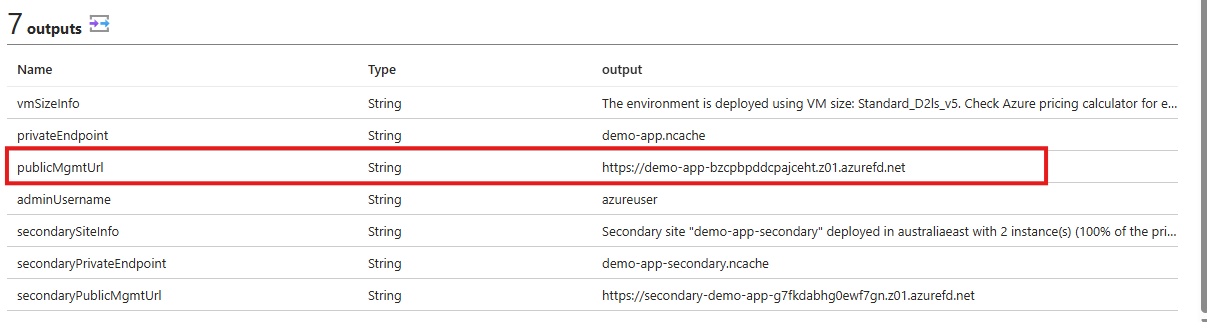
In the Azure Portal, open your deployed Managed Application, navigate to Parameters and Outputs, and copy the publicMgmtUrl.
Obtain the Portal URL in AWS
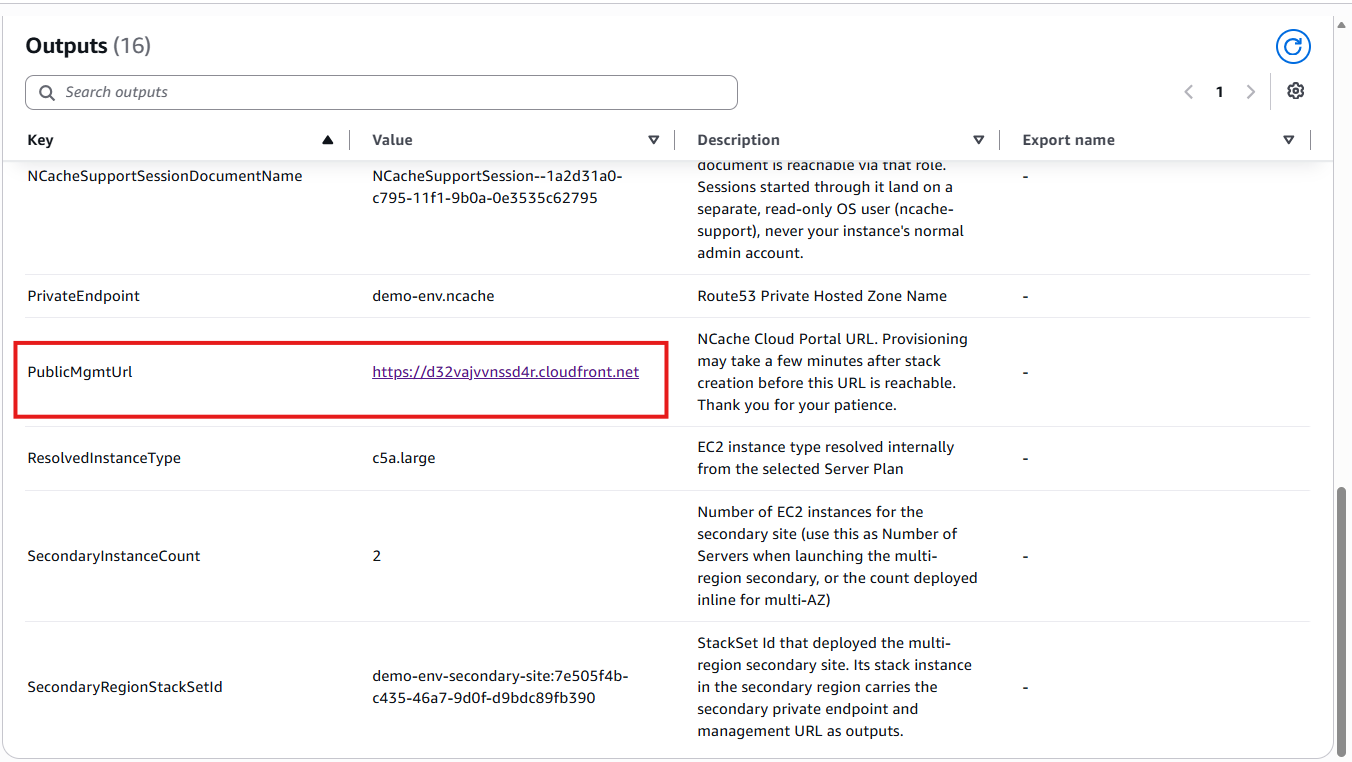
In the AWS CloudFormation Console, open your stack's Outputs tab, locate the PublicMgmtUrl key, and copy the associated CloudFront distribution link.
Wait for Global Propagation
Paste the URL into your browser. If you encounter a temporary "Page not found" or routing error, the global CDN endpoints may still be provisioning.
Wait approximately 15 to 20 minutes for global propagation to finish, then refresh the page.
Authenticate via Microsoft Entra ID in Azure
Once routed to the sign-in page, authenticate using your cloud's designated identity provider.
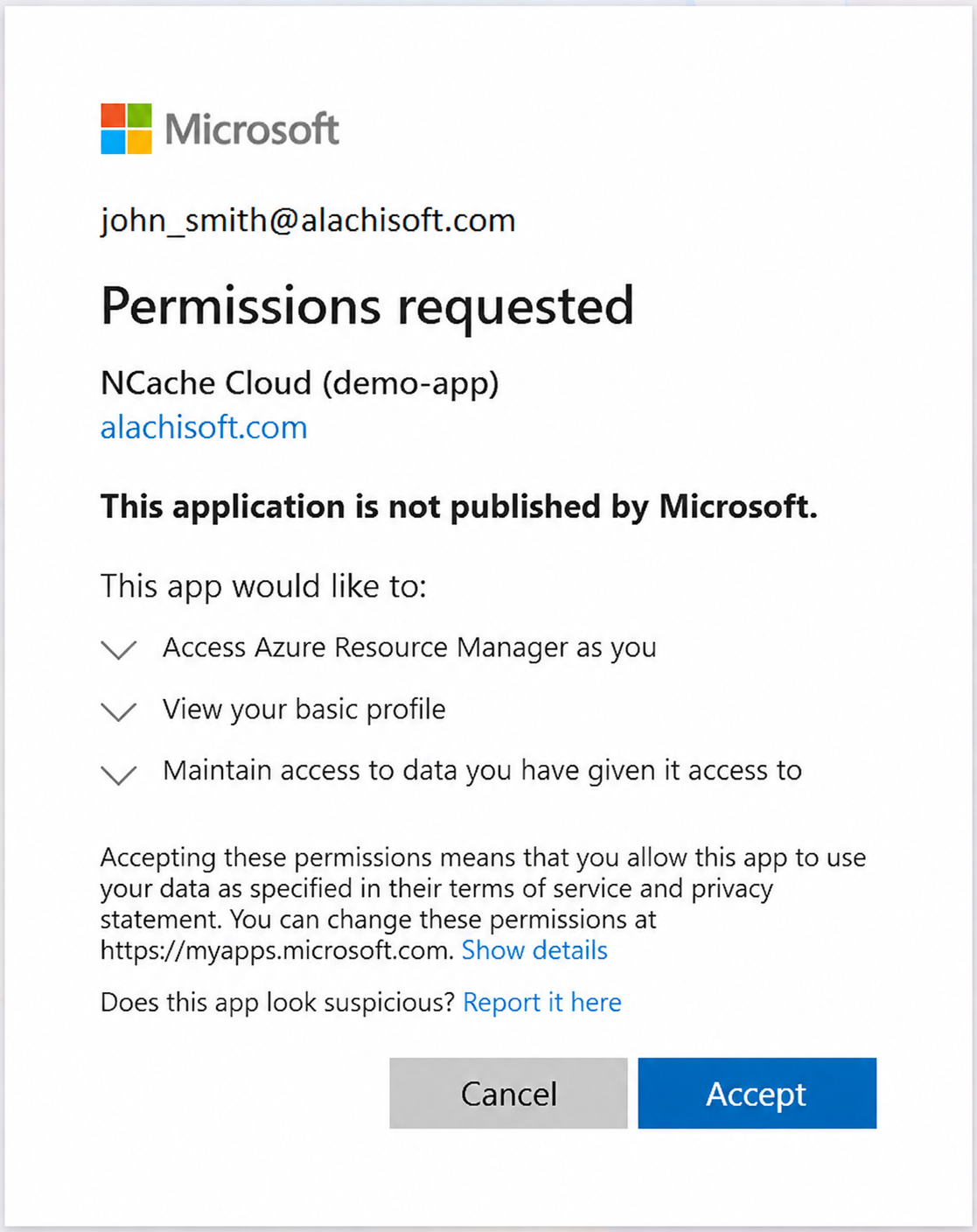
You are automatically redirected to the Microsoft Entra ID sign-in page. Select or enter your authorized organization credentials and accept the requested app permissions. On first login, a Permissions requested screen displays for the NCache Management Center app.
Authenticate via Amazon Cognito in AWS
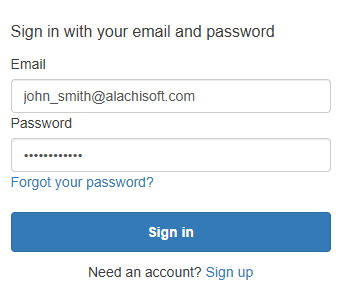
Presented with an Amazon Cognito sign-in prompt. Enter your pre-configured operator email and password.
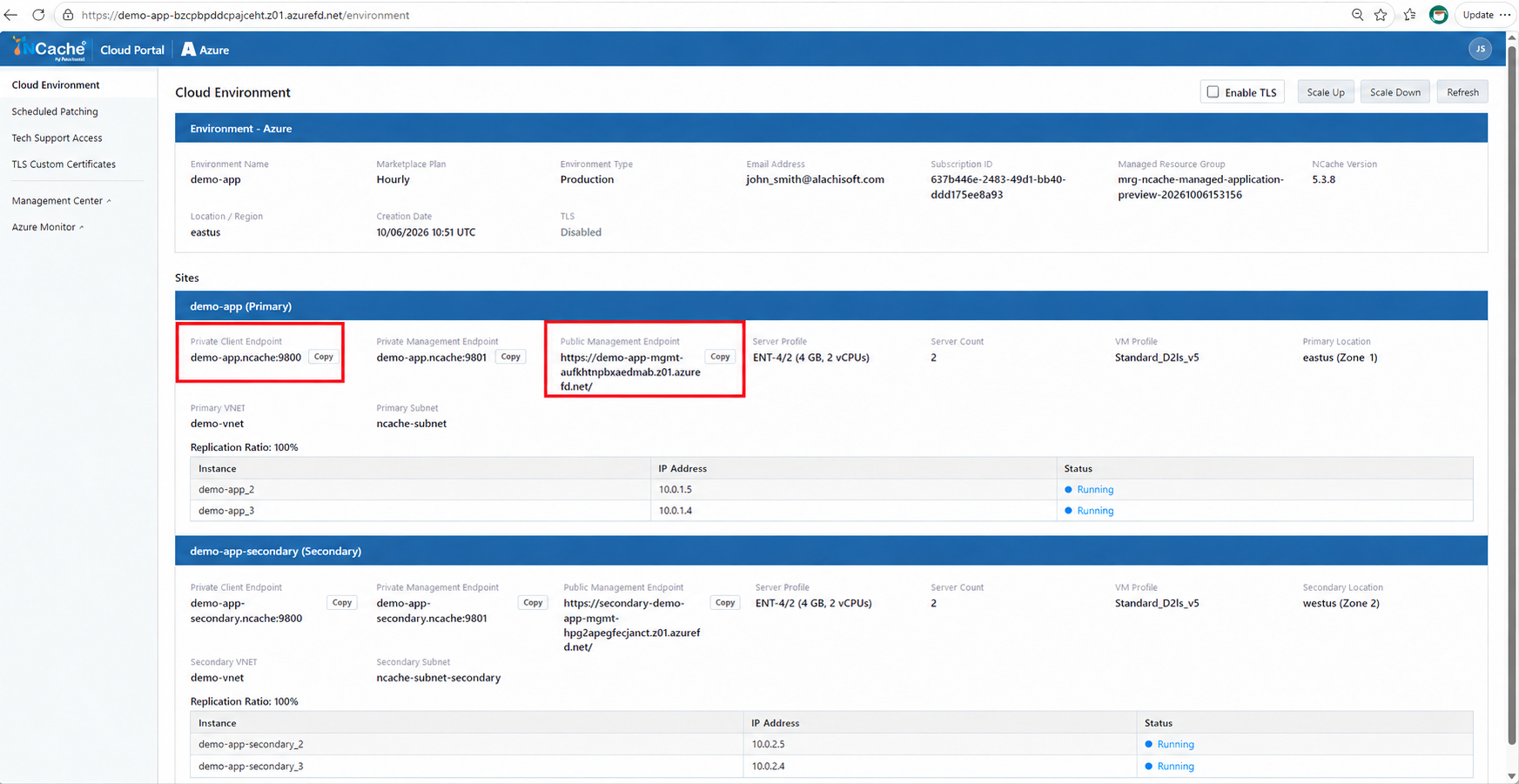
NCache Cloud Portal in Azure
Upon successful authentication, you land on the NCache Cloud Portal dashboard.
NCache Cloud Portal in Azure is as follows:
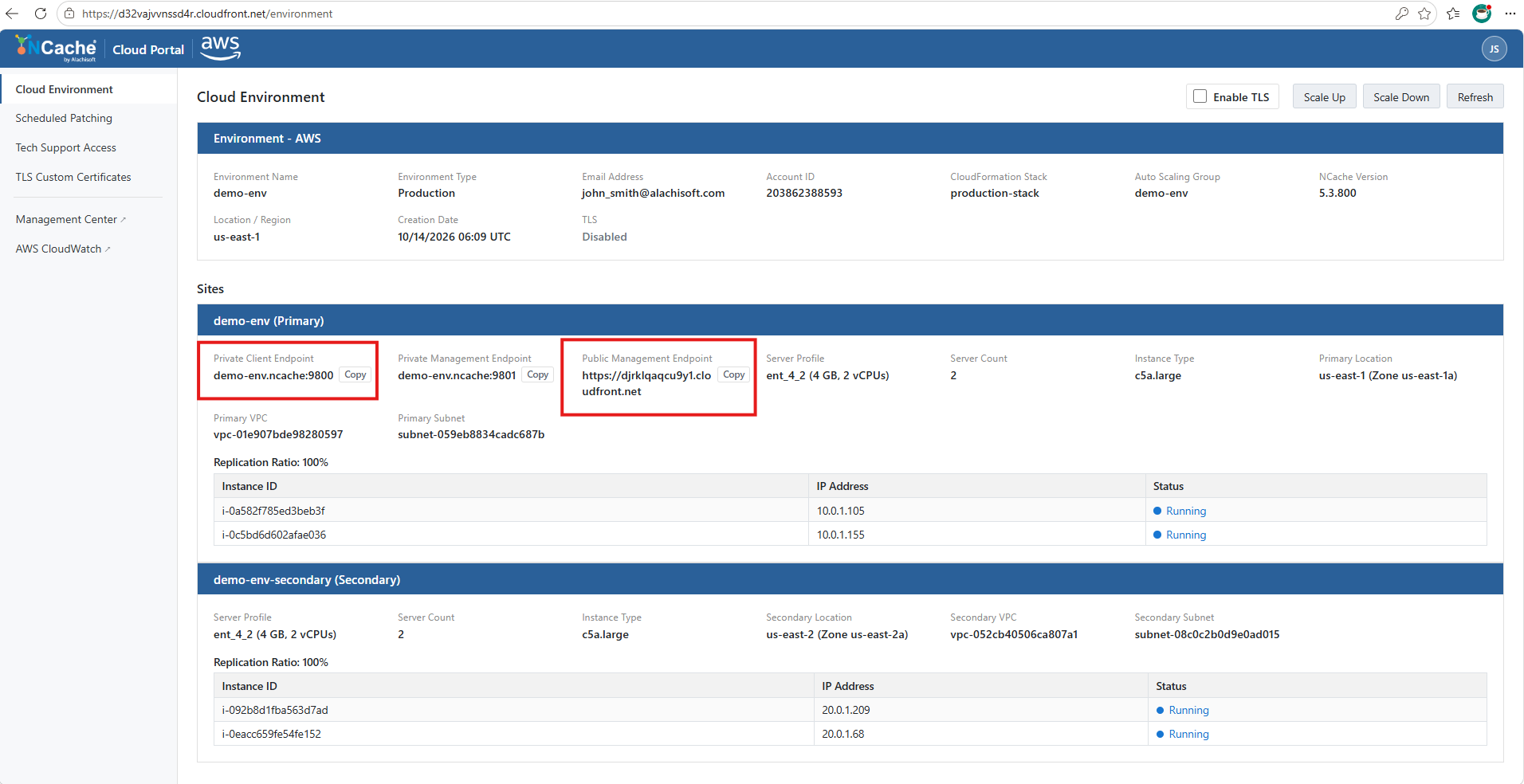
NCache Cloud Portal in AWS
NCache Cloud Portal in AWS is as follows:
In This Section
Cloud Environment
Learn how to manage your NCache Cloud environment, inspect cluster deployment details, scale server nodes, and configure TLS encryption.
Scheduled Patching
Learn how to configure recurring maintenance windows, define automatic or manual upgrade preferences, and immediately trigger updates for OS and NCache clusters.
Tech Support Access
Learn how to manage Just-in-Time (JIT) access requests, approval modes, session durations, and designated approvers for NCache technical support.
TLS Custom Certificates
Learn upload and configure custom PEM certificates for cluster-wide TLS encryption across all NCache servers in your deployment.
