Local Caches
The Local Caches page in NCache Management Center lists all local caches configured on the machine along with their key details. It provides options to create, manage, and monitor local caches.
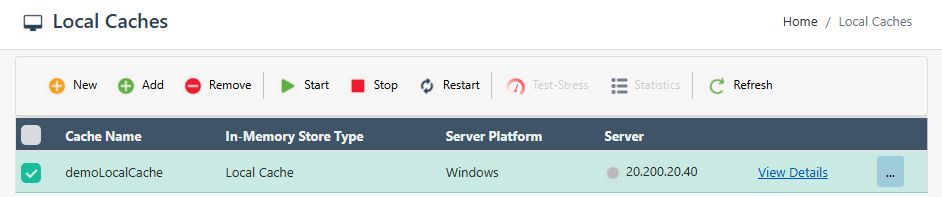
Cache List
Each row in the cache list represents a single local cache and displays the following information:
- Cache Name: Name of the local cache.
- In-Memory Store Type: Type of in-memory storage, such as Local Cache or Pub/Sub Messaging.
- Server Platform: Operating system hosting the cache server, such as Windows or Linux.
- Servers: Lists the server node, including its IP address, node role (host), and license or evaluation status.
Clicking View Details opens the detailed configuration view of the selected local cache.
Each cache row also provides a More Options (⋯) menu for additional cache-specific actions.
Toolbar
The toolbar at the top of the page provides the following options:
| Button | Description |
|---|---|
| New | Opens the wizard to create a new local cache. |
| Add | Adds an existing cache to the Management Center. |
| Remove | Removes the selected cache. |
| Start | Starts the selected cache. |
| Stop | Stops the selected cache. |
| Restart | Restarts the selected cache. |
| Test-Stress | Runs a stress test on the selected cache. |
| Statistics | Opens the Statistics view for the selected cache. |
| Refresh | Refreshes the cache list. |
Note
A cache must be selected from the list to enable most toolbar actions.
