New Local Cache
The New Local Cache wizard in NCache Management Center provides a multi-step interface for configuring a local cache. Each step exposes specific configuration options related to cache creation and behavior.
Node IP
The Node IP step specifies the machine on which the local cache will be created. It allows selection of the target server node for cache deployment.
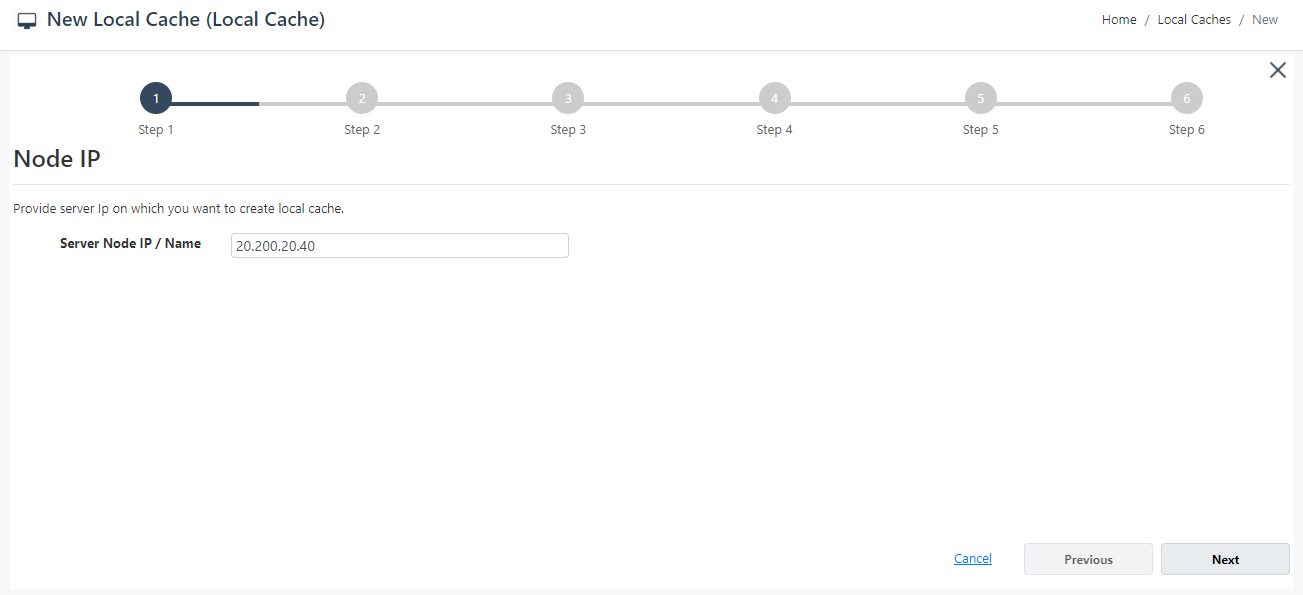
- The Server Node IP / Name field displays the IP address or hostname of the machine where the cache will be created.
In-Memory Store
The In-Memory Store step defines the cache behavior for the local cache.
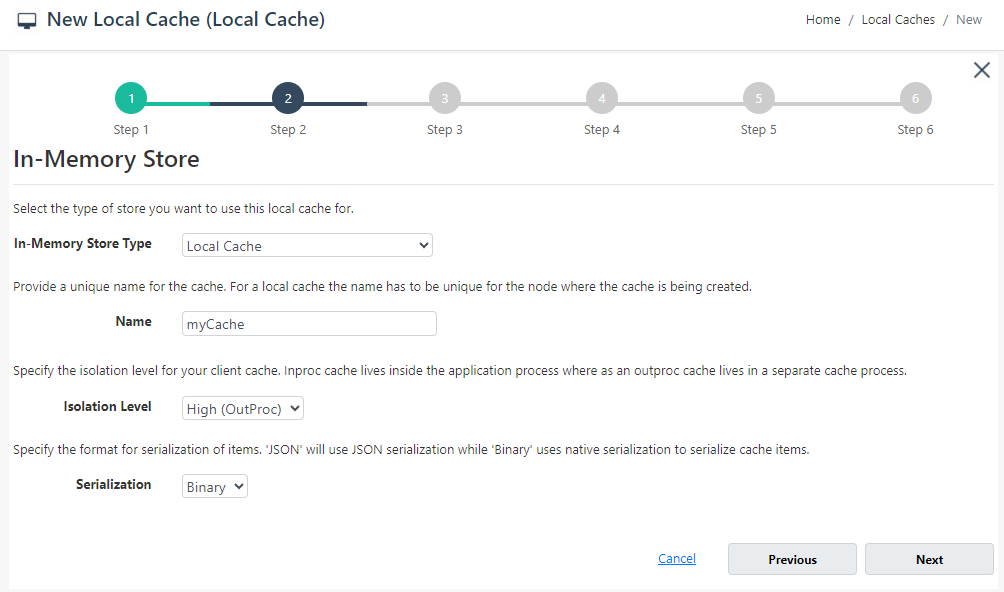
The In-Memory Store Type dropdown allows selection of the cache type. Available store types include Local Cache and Pub/Sub Messaging.
The Name field specifies the unique name of the cache.
Cache Size
The Cache Size step defines the maximum memory allocation for the local cache.
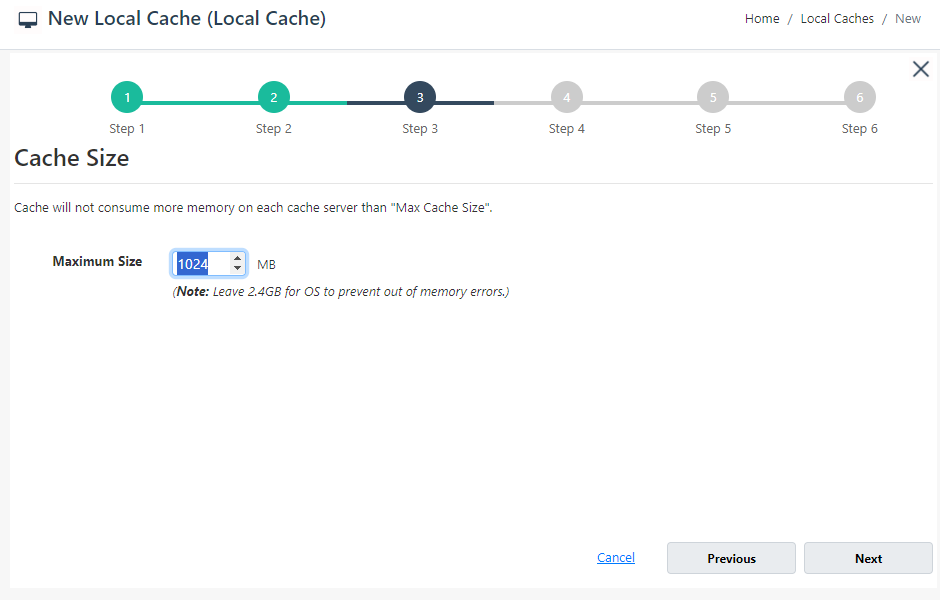
- The Maximum Size field specifies the total memory allocated to the cache in MB.
Encryption and Compression Settings
The Encryption and Compression Settings step provides options for protecting cached data through encryption and optimizing data size through compression.
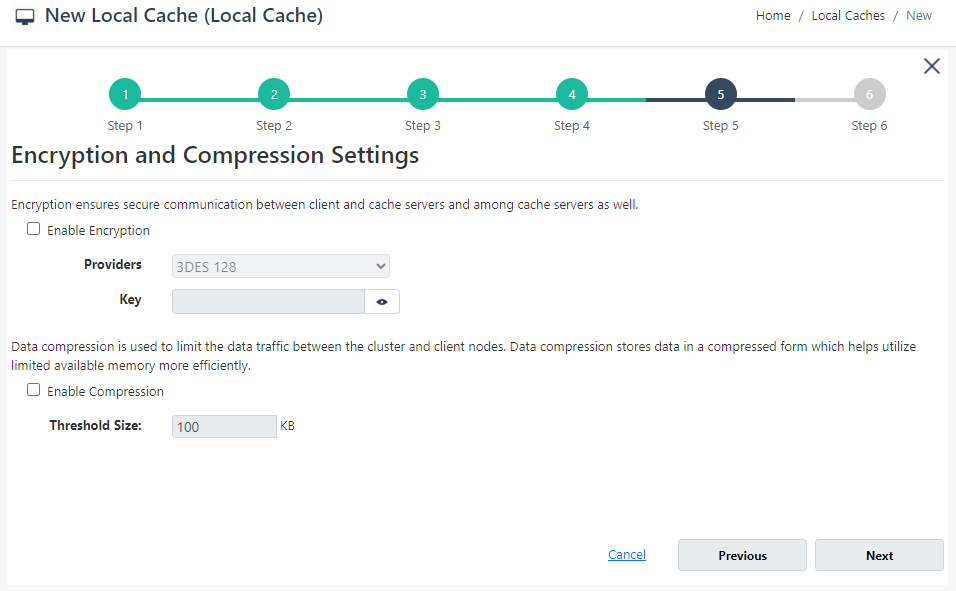
The Encryption option enables secure communication between clients and cache servers. When enabled, configuration fields such as Provider and Key become available.
The Compression option reduces data transfer size between client and cache nodes. The Threshold Size field defines the minimum data size required before compression is applied.
Advanced Options
The Advanced Options step defines eviction and cleanup behavior for the local cache.
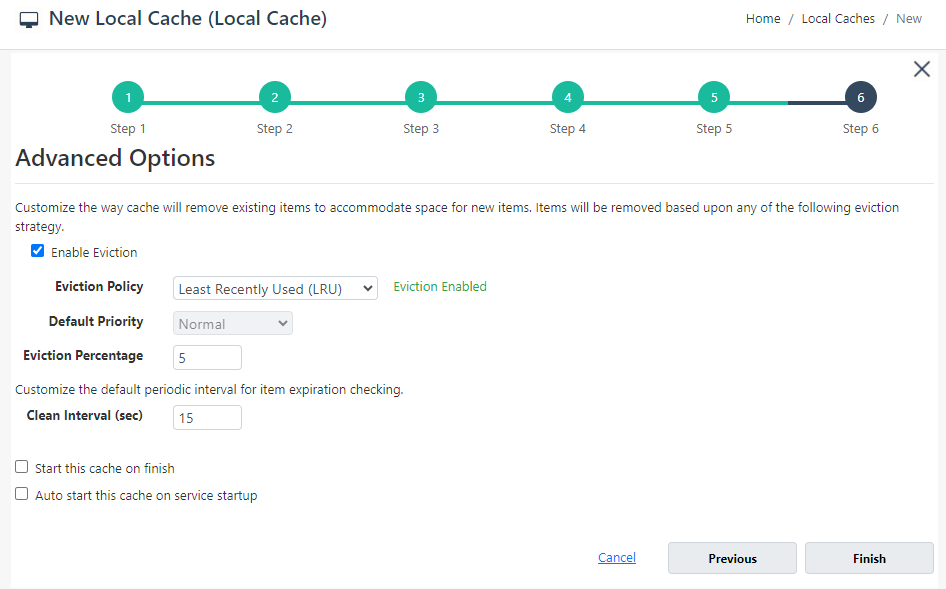
The Enable Eviction option enables automatic removal of items when the cache reaches its configured limit.
The Eviction Policy dropdown allows selection of eviction strategies such as Least Recently Used (LRU). Additional settings include Default Priority and Eviction Percentage.
The Clean Interval (sec) field specifies how frequently expired items are checked and removed.
Options are also available to Start this cache on finish and to Auto start this cache on service startup.
Navigation Controls
The wizard provides navigation controls at the bottom of each step. Next moves to the next step, while Previous returns to the previous step. On the final step, Finish creates the cache. The Cancel option closes the wizard without saving changes.
