New Clustered Cache
The New Clustered Cache wizard in NCache Management Center provides a multi-step interface for configuring a clustered cache. Each step exposes specific configuration options.
In-Memory Store
The In-Memory Store step defines the basic identity and storage behavior of the clustered cache. It includes options for selecting the cache type and naming the cache.
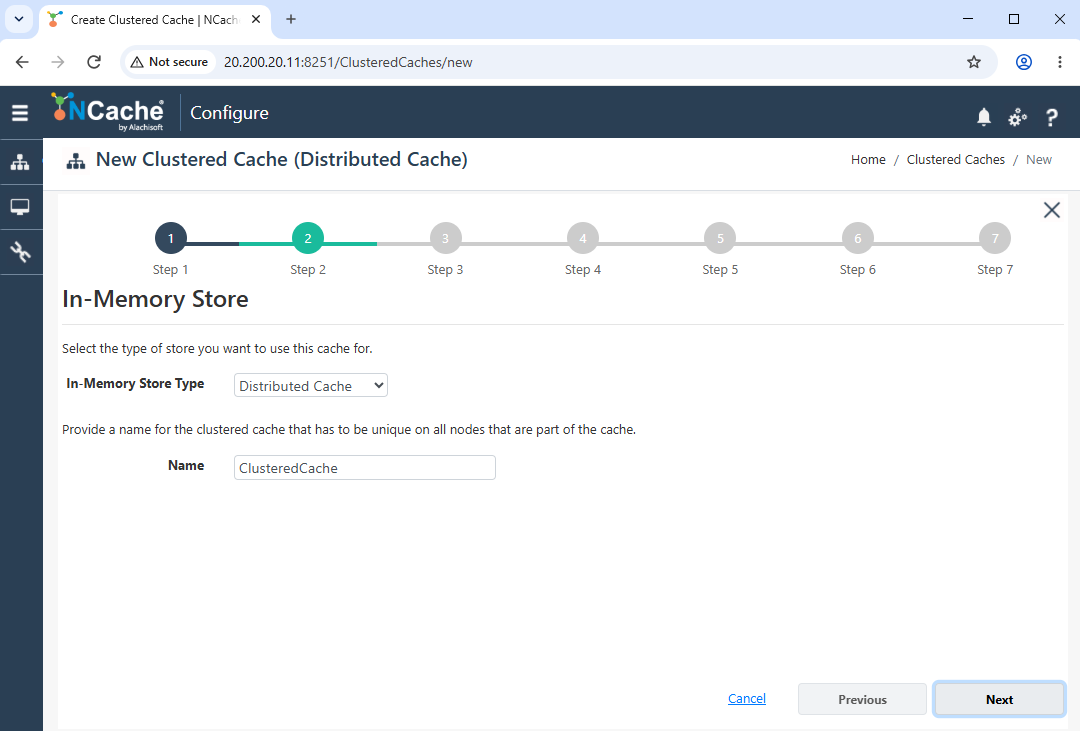
- This screen defines the basic cache settings. The In-Memory Store Type dropdown allows selection of the cache type, such as Distributed Cache or Pub/Sub Messaging. The Name field specifies the unique name of the clustered cache.
Caching Topology
The Caching Topology step determines how data is distributed and replicated across nodes in the cluster. It allows selection of topology and related replication behavior.
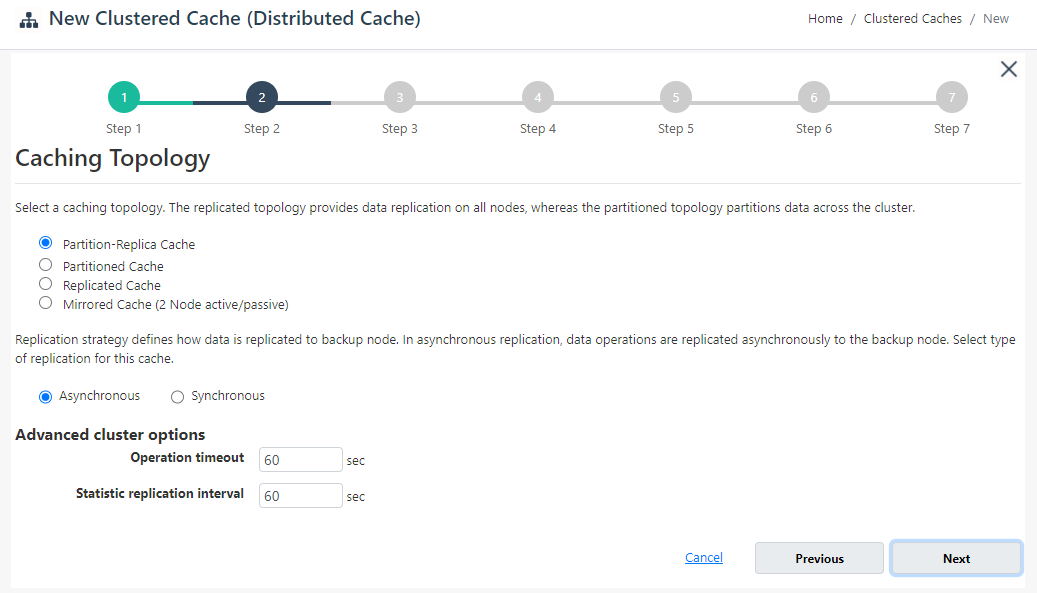
This screen defines how data is distributed and replicated across the cluster.
The Topology section provides options such as Partition-Replica Cache, Partitioned Cache, and Replicated Cache.
The Replication Strategy allows selection between Asynchronous and Synchronous replication.
Under Advanced Cluster Options, the Operation Timeout defines the timeout for cache operations, while the Statistic Replication Interval controls how frequently statistics are synchronized across nodes.
Cache Partitions and Size
The Cache Partitions and Size step defines how memory is allocated across nodes and allows configuration of cluster membership.
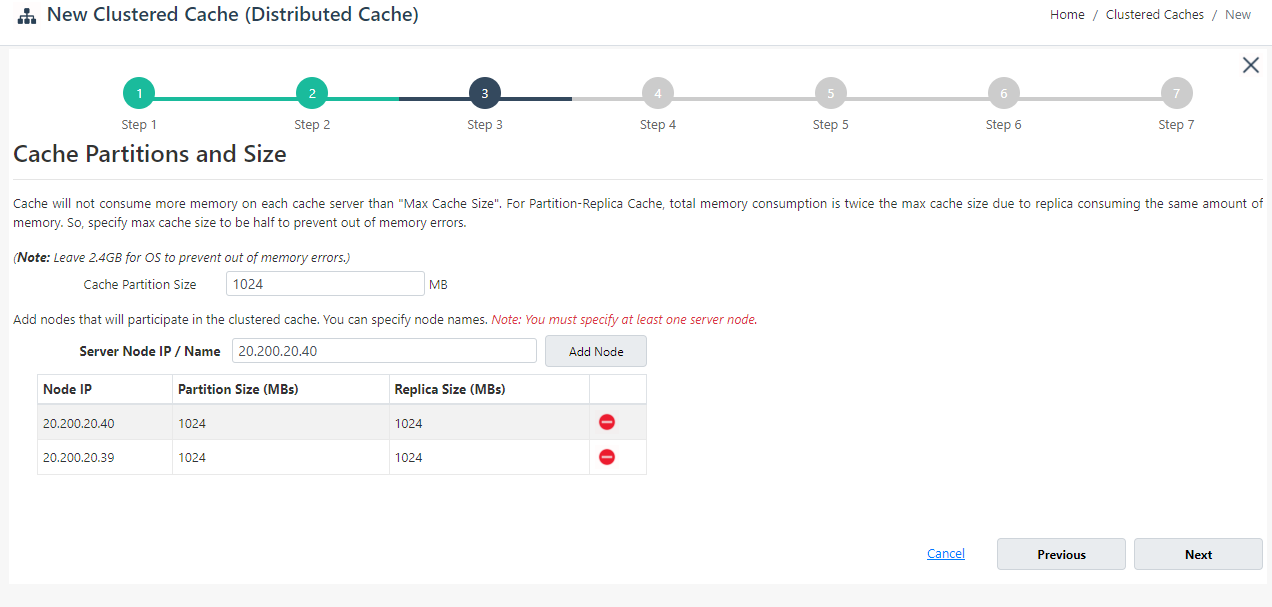
This screen defines memory allocation and cluster nodes.
- The Cache Partition Size (MB) field specifies the amount of memory allocated per node. Server nodes can be added using the Server Node IP/Name field followed by the Add Node button. Added nodes are displayed in a list showing their Partition Size and Replica Size, along with an option to remove individual nodes.
Cluster TCP Parameters
The Cluster TCP Parameters step defines communication settings used by cache nodes to interact within the cluster.
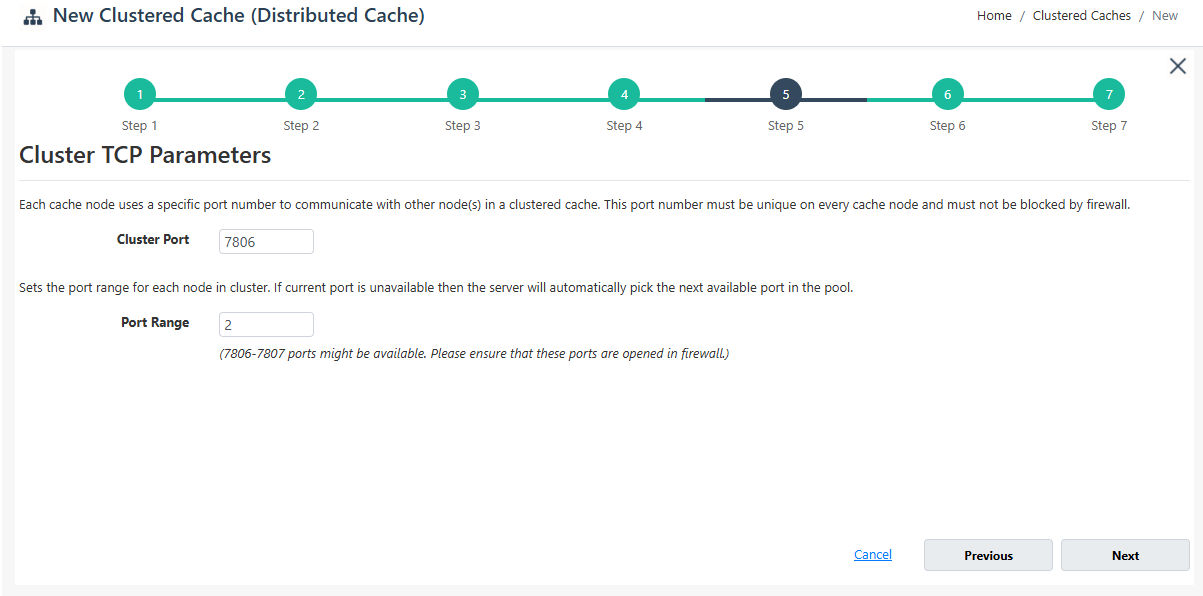
- The Cluster Port specifies the port used for inter-node communication. The Port Range defines additional ports that can be used if the primary port is unavailable.
Encryption and Compression Settings
The Encryption and Compression Settings step provides options to protect cached data through encryption and reduce data size through compression.
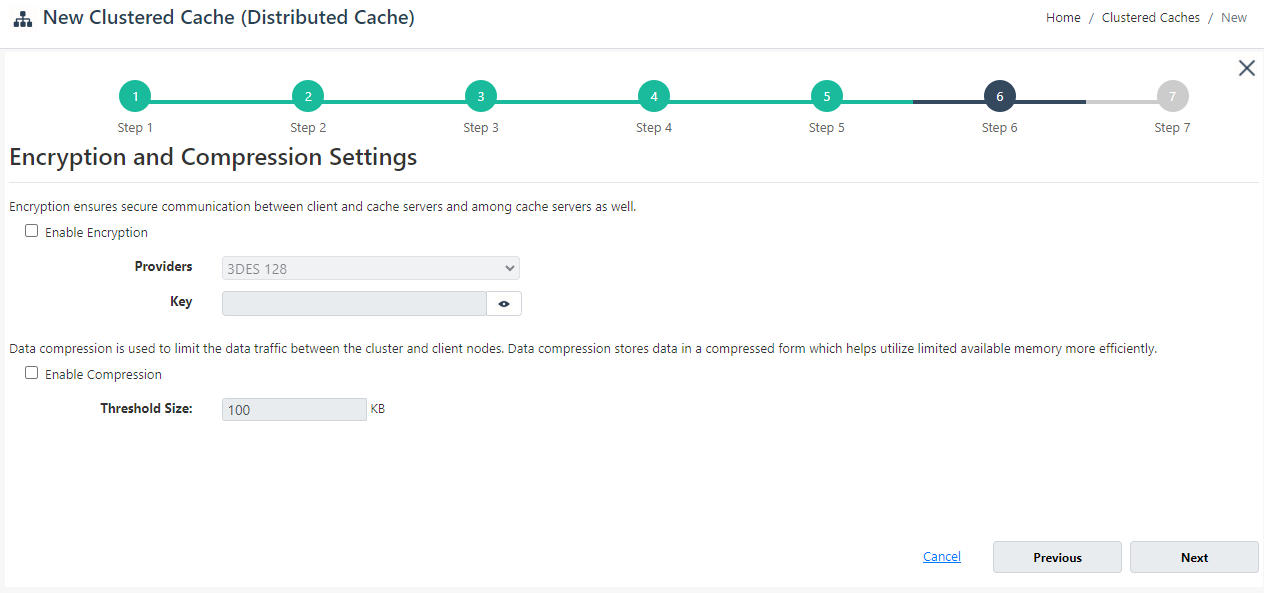
Enabling Encryption encrypts sensitive data stored in the cache. When enabled, the Provider (such as 3DES) and Key fields are available for configuration.
The Compression option reduces data size during transmission. The Threshold Size (KB) specifies the minimum size above which data compression is applied.
Advanced Options
The Advanced Options step provides configuration settings related to eviction policies, cleanup intervals, and cache startup behavior.
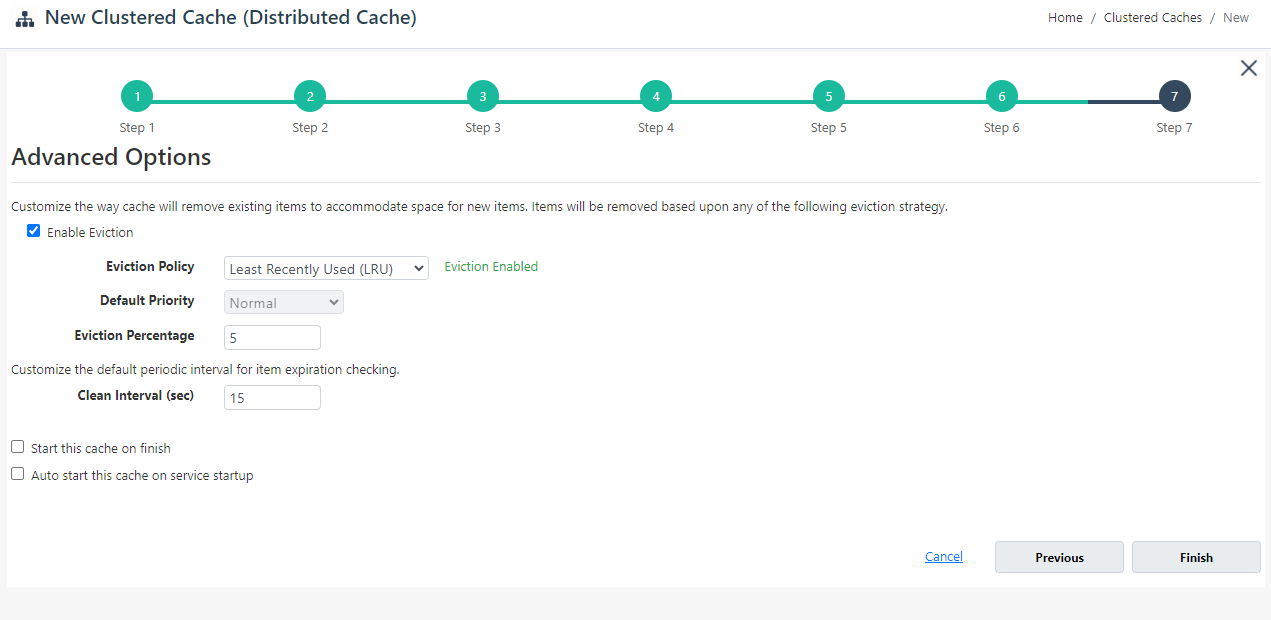
This screen defines eviction and cleanup behavior.
When Enable Eviction is selected, the Eviction Policy dropdown allows selection of strategies such as LRU. For more details, see Eviction Policies. Additional fields include Default Priority and Eviction Percentage, which control eviction behavior.
The Clean Interval (sec) defines how frequently expired items are checked and removed.
Options are also available to Start this cache on finish and to Auto start this cache on service startup.
Navigation Controls
The wizard provides navigation controls at the bottom of each step. Next moves to the next step, while Previous returns to the previous step. On the final step, Finish creates the cache. The Cancel option closes the wizard without saving changes.
