Clustered Cache Configuration
The Clustered Cache Configuration page in NCache Management Center displays the configuration details of a selected clustered cache. This view is opened by clicking View Details on a cache from the Clustered Caches page.
Overview
The Overview section provides a high-level summary of the selected clustered cache and its current configuration. It gives quick visibility into important cache properties and operational settings.
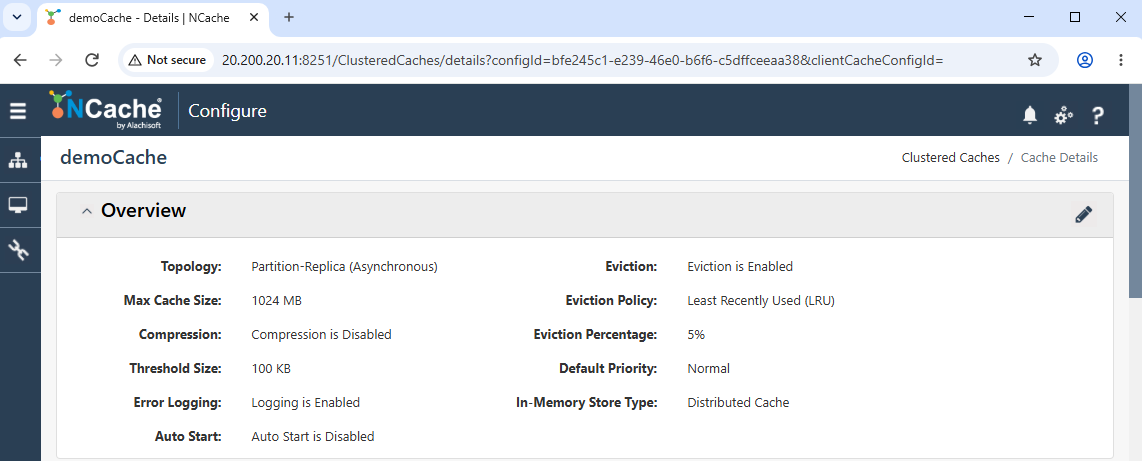
It displays key information such as the configured Topology (e.g., Partition-Replica), Max Cache Size, and whether Compression is enabled. It also shows the configured Threshold Size, Error Logging status, and Auto Start setting.
Eviction-related details are also shown, including whether eviction is enabled, the selected Eviction Policy (e.g., LRU), Eviction Percentage, and Default Priority. The In-Memory Store Type is also listed.
Server Nodes
The Server Nodes section displays all cache server nodes participating in the cluster. It also provides controls to manage node-level operations and monitor their status.
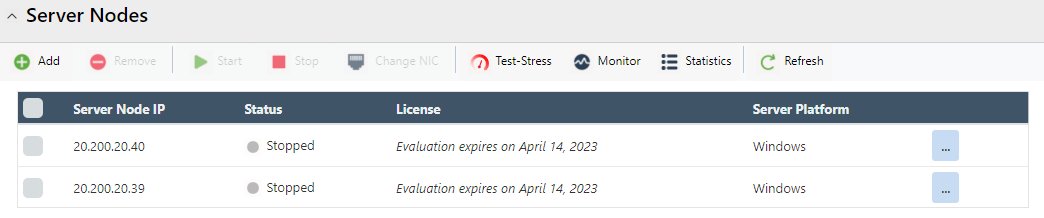
Each node entry displays the Server Node IP, its Status (e.g., Running, Stopped), license information, and the Server Platform.
The toolbar in this section provides options to manage nodes, including adding or removing nodes, starting or stopping the cache on selected nodes, changing NIC settings, accessing Client Configuration to obtain application-side connection settings, running Test-Stress, opening Monitor, viewing Statistics, and refreshing the node list.
Each node row also provides a More Options (⋯) menu for additional actions.
Client Cache
The Client Cache section allows you to view and modify the client cache configuration associated with the selected clustered cache. You can enable or disable the client cache, configure its size and eviction behavior, and specify the polling interval used to synchronize data with the clustered cache.
Main
The Main section displays the primary configuration settings for the client cache.
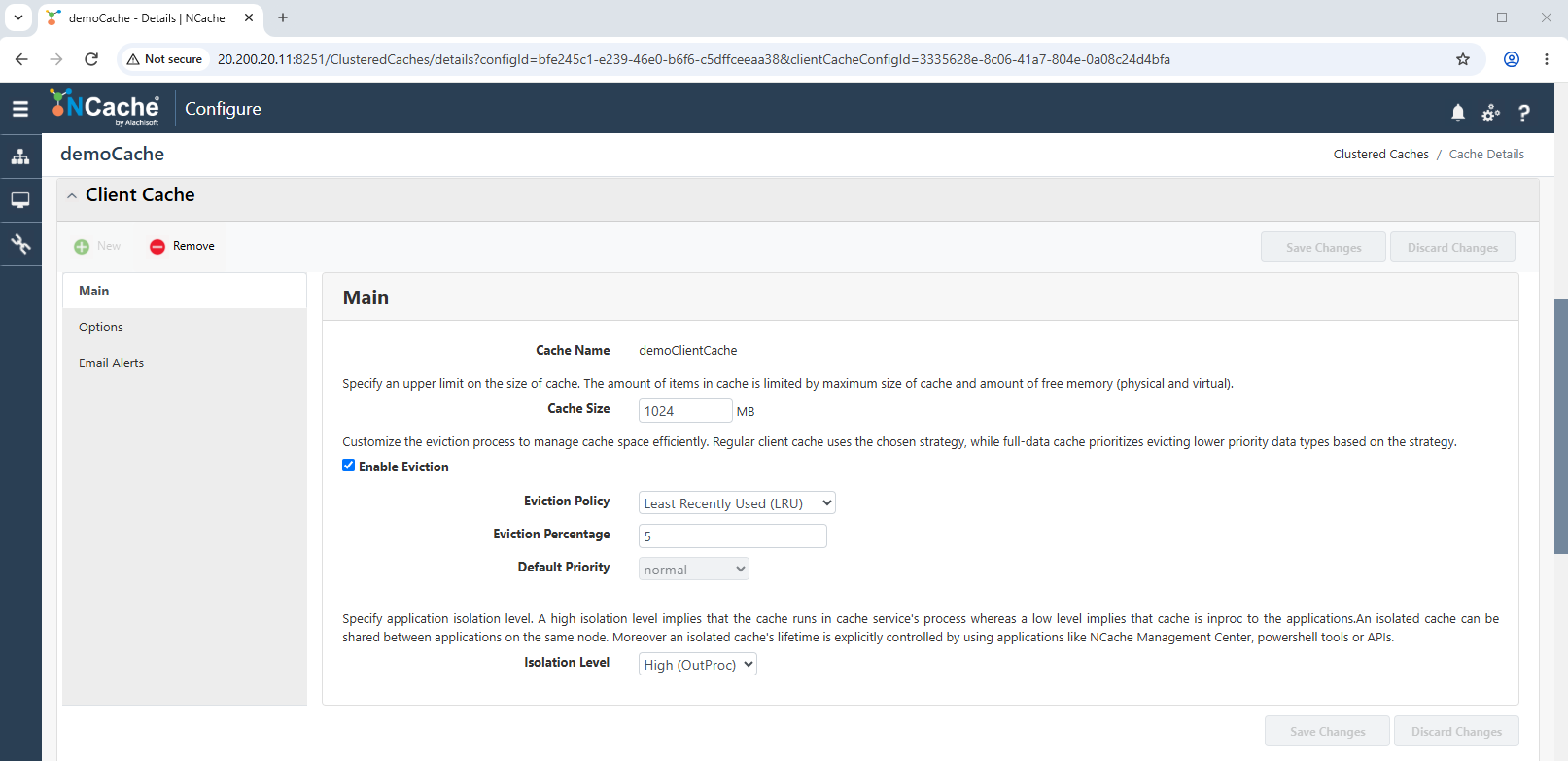
Enable Client Cache allows you to enable or disable the client cache for connecting clients. Disabling it stops client caches on connected clients while retaining their configuration.
Cache Name displays the configured client cache name.
Cache Size specifies the maximum size of the client cache in MB.
Enable Eviction controls whether items are evicted when the client cache reaches its maximum size. The eviction policy, eviction percentage, and default priority are inherited from the clustered cache. A Full-Data client cache always evicts items.
Isolation Level displays whether the client cache runs InProc (within the application process) or OutProc (in a separate process). This setting is defined when the client cache is created and cannot be modified afterward.
Client Polling Interval specifies, in seconds, how frequently the client cache polls the clustered cache for data changes. Polling helps maintain synchronization if data change notifications are not received.
Advanced Settings (Clustered Cache)
The Advanced Settings (Clustered Cache) section provides configuration pages for cluster communication, expiration, data balancing, data-source integration, notifications, security, and other cache settings. Select a category from the navigation panel to view and modify its available options.
Cluster Settings
The Cluster Settings page contains communication, connection, replication, and split-brain settings for the clustered cache.
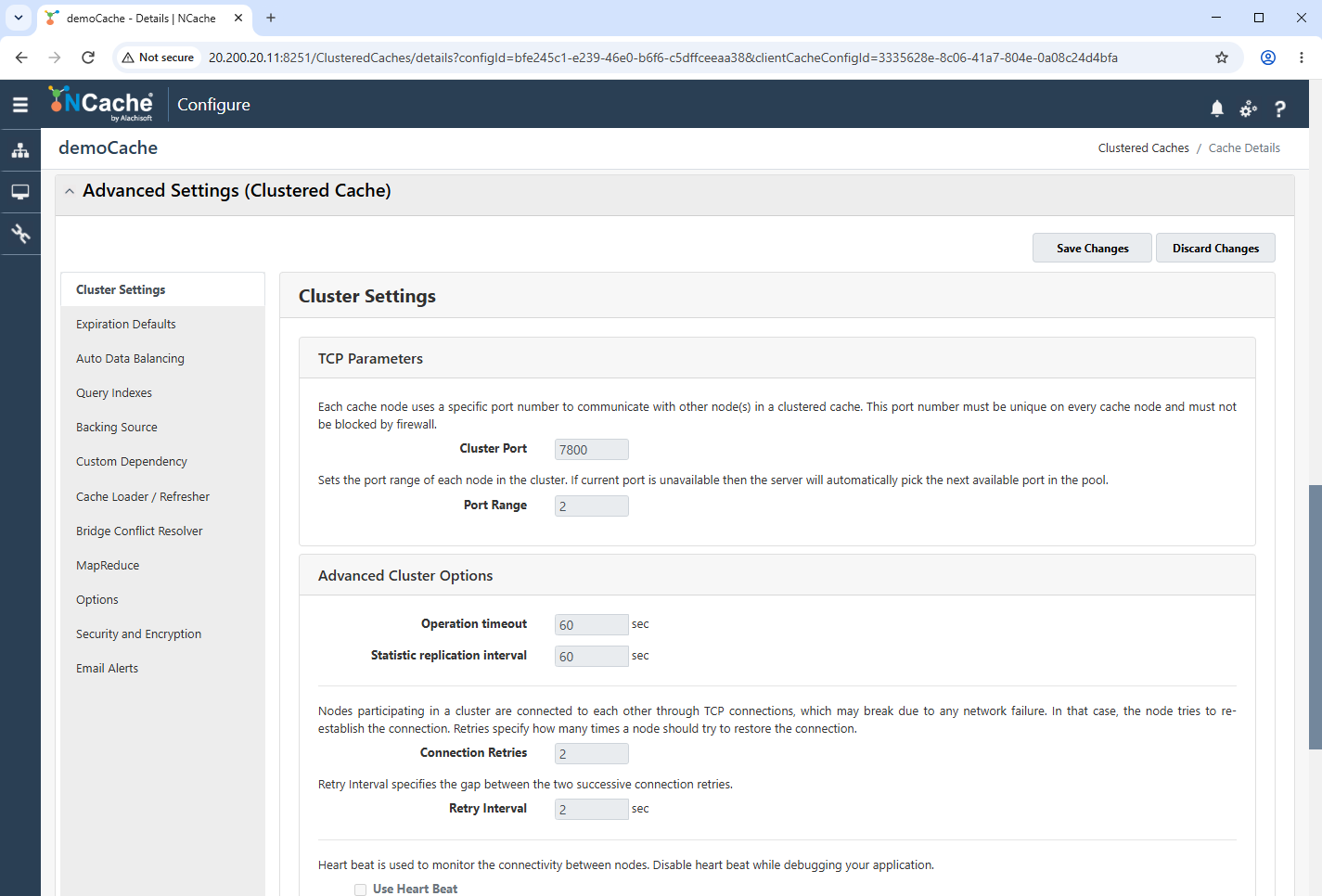
The TCP Parameters section displays the Cluster Port used by cache nodes and the Port Range available when the configured port is unavailable.
The Advanced Cluster Options section provides fields for the Operation Timeout, Statistic Replication Interval, Connection Retries, and Retry Interval.
The Use Heart Beat option controls whether heartbeat messages are used to monitor connectivity between cache nodes.
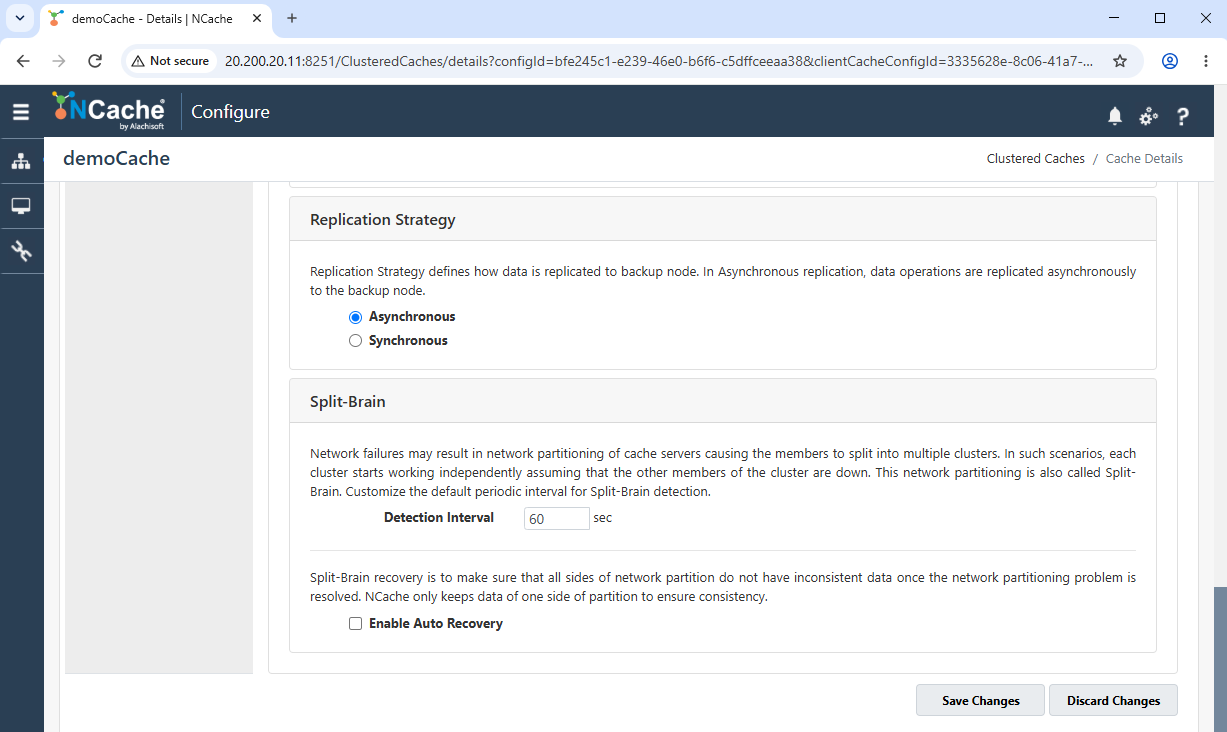
Where applicable, the Replication Strategy section allows replication to be configured as Asynchronous or Synchronous.
The Split-Brain section provides a Detection Interval and an Enable Auto Recovery option for handling network-partition scenarios.
Expiration Defaults
The Expiration Defaults page defines cache-level expiration values that can be applied when an item is added without an explicit expiration.
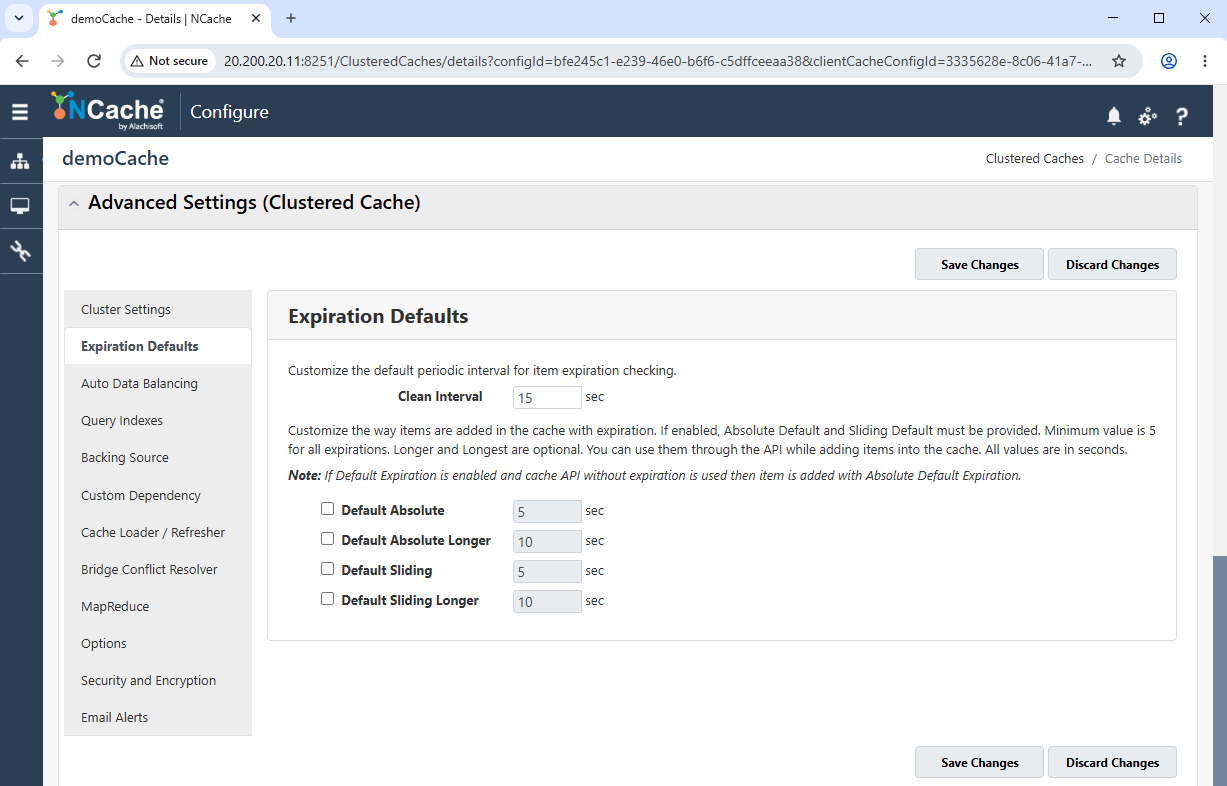
Clean Interval specifies how frequently the cache checks for expired items.
Default expiration can be enabled for Default Absolute, Default Absolute Longer, Default Sliding, and Default Sliding Longer.
A duration in seconds can be specified for each enabled expiration option.
Auto Data Balancing
The Auto Data Balancing page provides settings for periodically checking and balancing the distribution of cached data across cluster nodes.
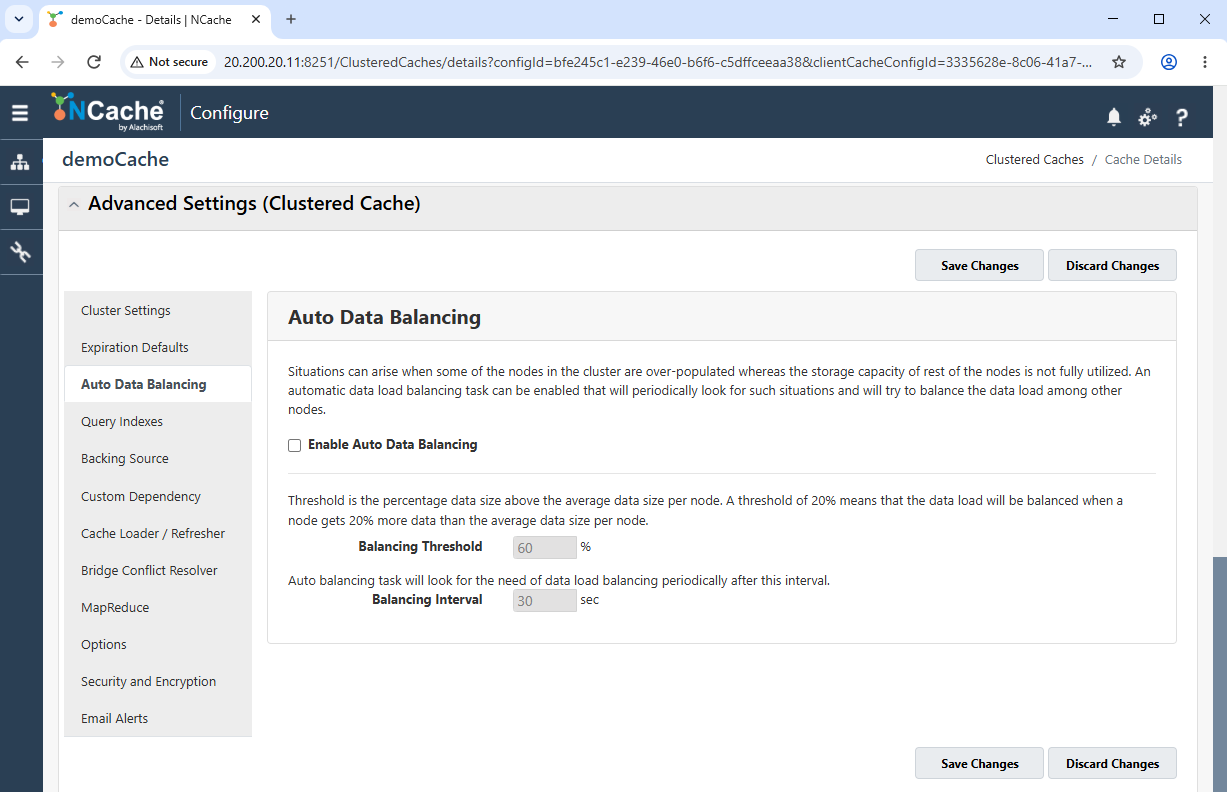
Select Enable Auto Data Balancing to enable the feature.
Balancing Threshold specifies the percentage above the average data size per node at which balancing is considered.
Balancing Interval specifies how frequently the cache checks whether data balancing is required.
Query Indexes
The Query Indexes page allows classes and their attributes to be configured for indexing.
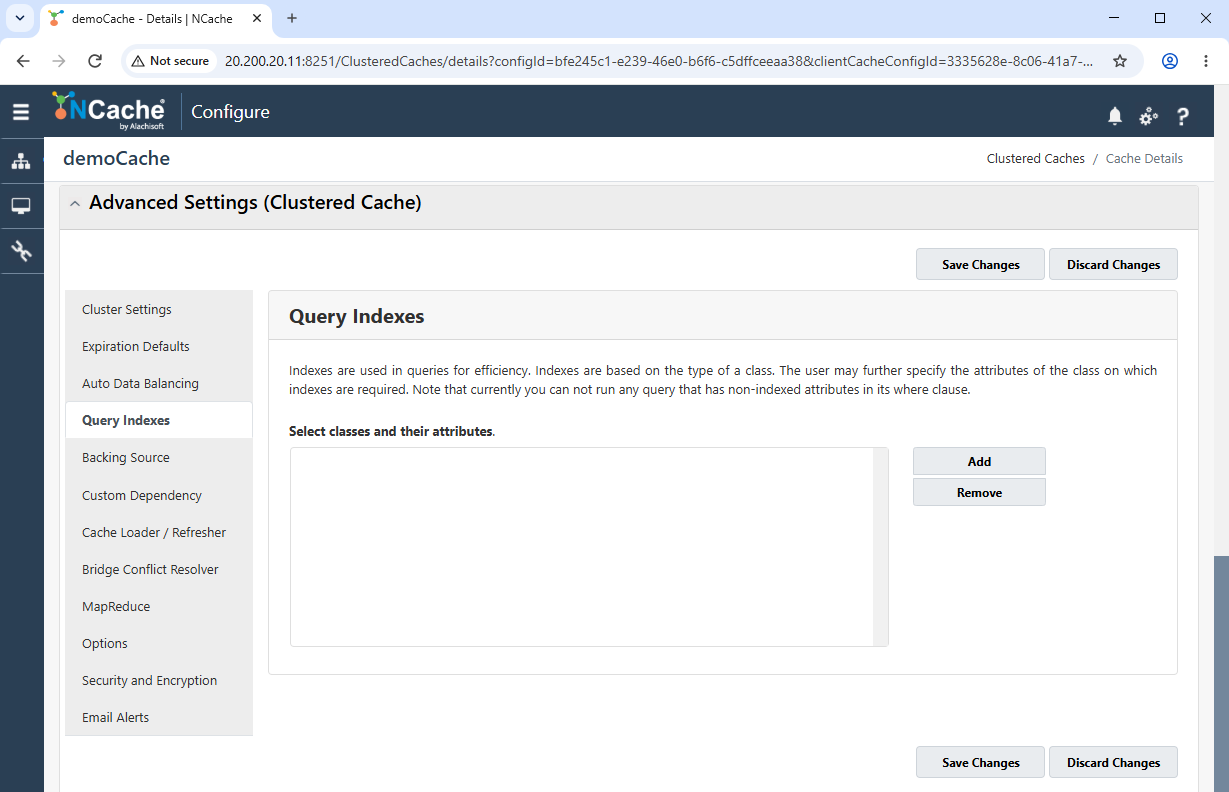
The configured classes and attributes are displayed in the main list.
The Add and Remove buttons allow index entries to be added or removed.
Backing Source
The Backing Source page provides settings for integrating the cache with external data sources through read-through and write-through providers.
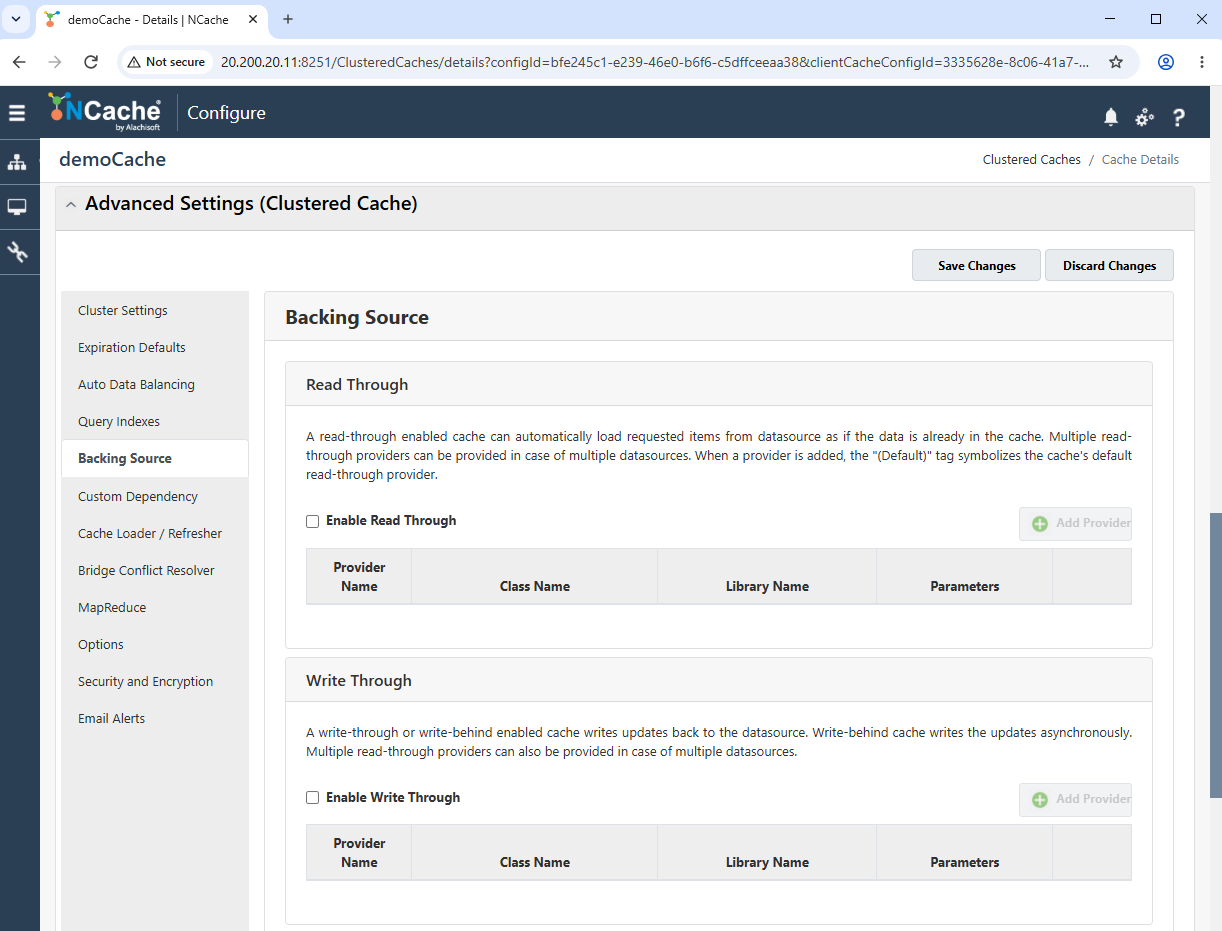
The Read Through section allows read-through to be enabled and providers to be added.
The Write Through section allows write-through to be enabled and providers to be added.
Provider entries display information such as the provider name, class name, library name, and parameters.
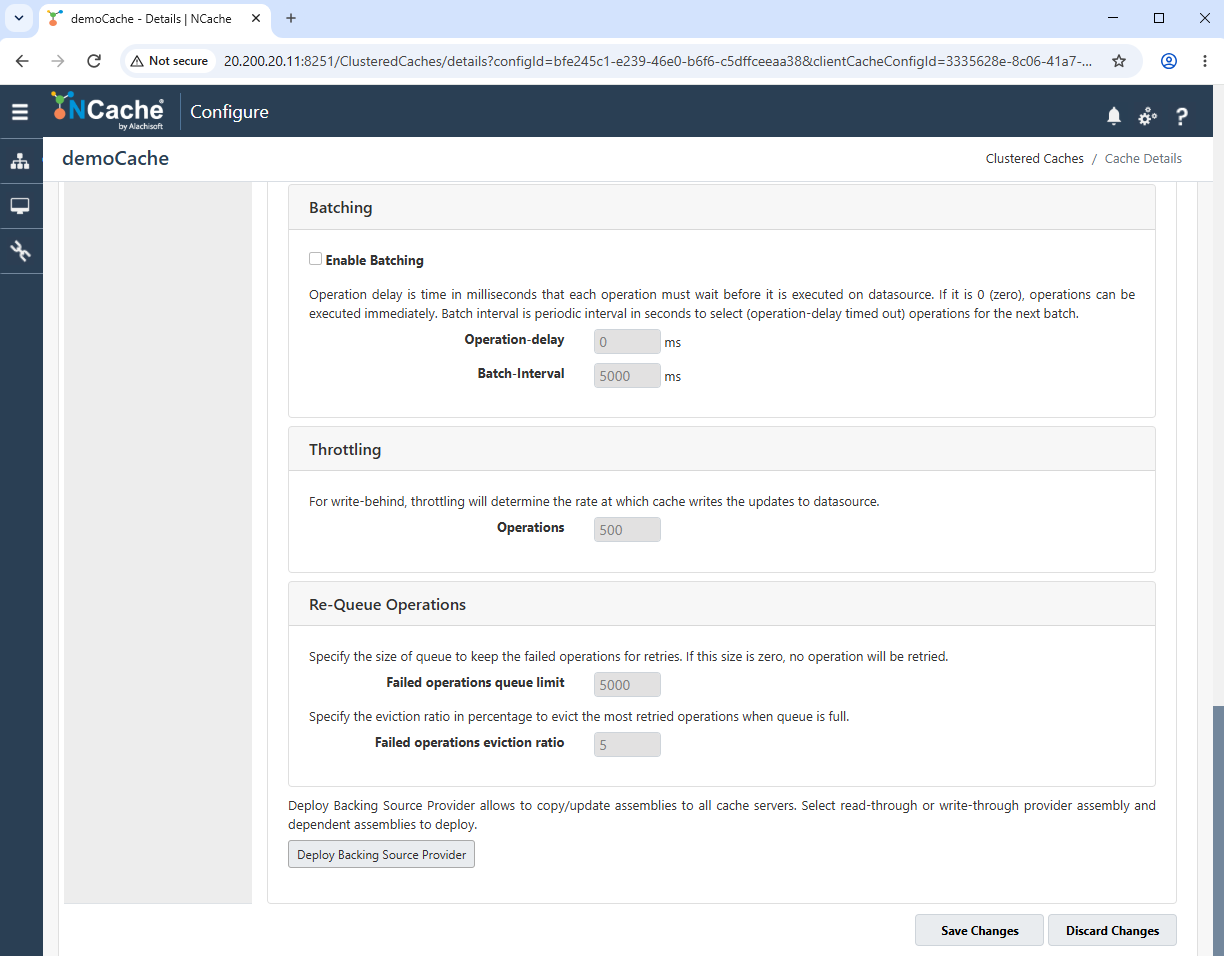
The Batching section provides settings for enabling batching and specifying the Operation-delay and Batch-Interval.
The Throttling section provides an Operations field for controlling the write-behind operation rate.
The Re-Queue Operations section provides the Failed operations queue limit and Failed operations eviction ratio settings.
The Deploy Backing Source Provider option is available for deploying the selected provider assemblies and their dependencies to cache servers.
Cache Loader / Refresher
The Cache Loader / Refresher page provides settings for loading data when the cache starts and refreshing configured datasets.
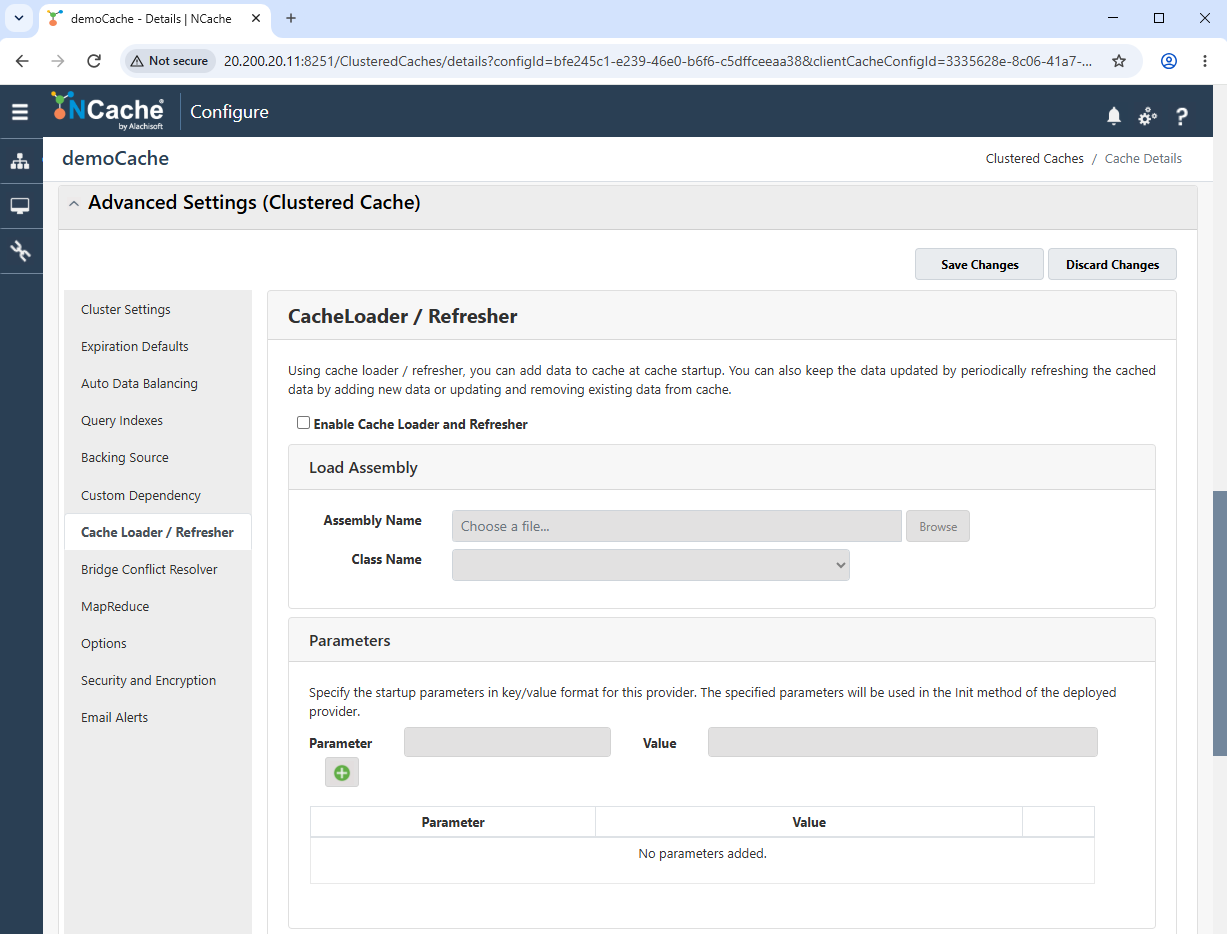
Select Enable Cache Loader and Refresher to enable the feature.
The Load Assembly section allows an assembly to be selected and its implementing class to be specified.
Startup Parameters can be added as key-value pairs.
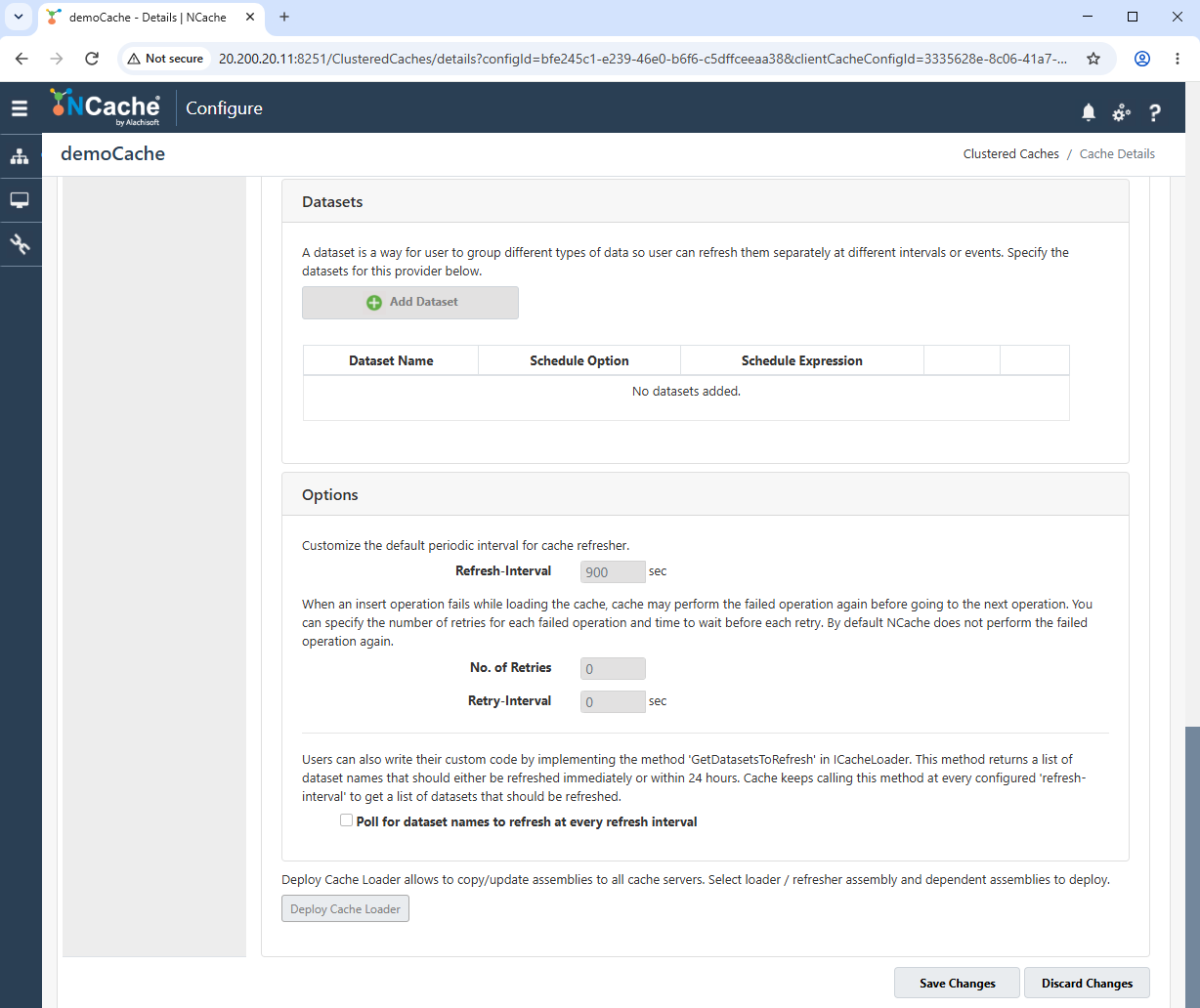
The Datasets section allows datasets and their scheduling information to be configured.
Refresh-Interval specifies the periodic interval used by the refresher.
No. of Retries and Retry-Interval configure retry behavior for failed loading operations.
The Poll for dataset names to refresh at every refresh interval option controls whether dataset names are requested from the provider during each refresh interval.
The Deploy Cache Loader option is available for deploying the loader or refresher assembly and its dependencies to cache servers.
Bridge Conflict Resolver
The Bridge Conflict Resolver page provides settings for configuring a custom conflict resolver for operations replicated from a bridge.
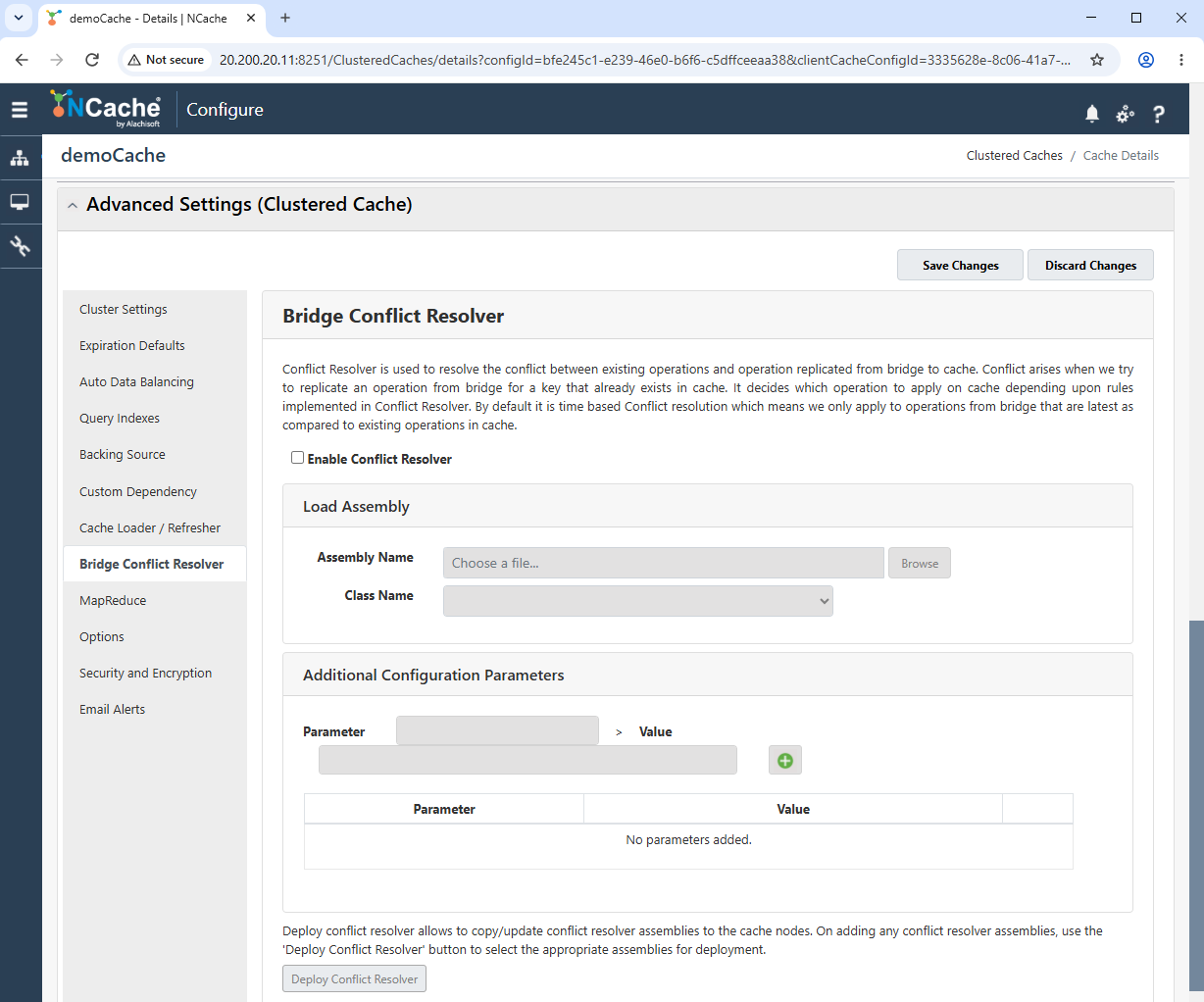
Select Enable Conflict Resolver to enable the configured resolver.
The Load Assembly section allows the resolver assembly and implementing class to be selected.
Additional Configuration Parameters can be supplied as key-value pairs.
The Deploy Conflict Resolver option is available for deploying the resolver assembly to cache nodes.
Options
The Options page contains settings for cache notifications, logging, performance counters, SQL notification mode, and client activity notifications.
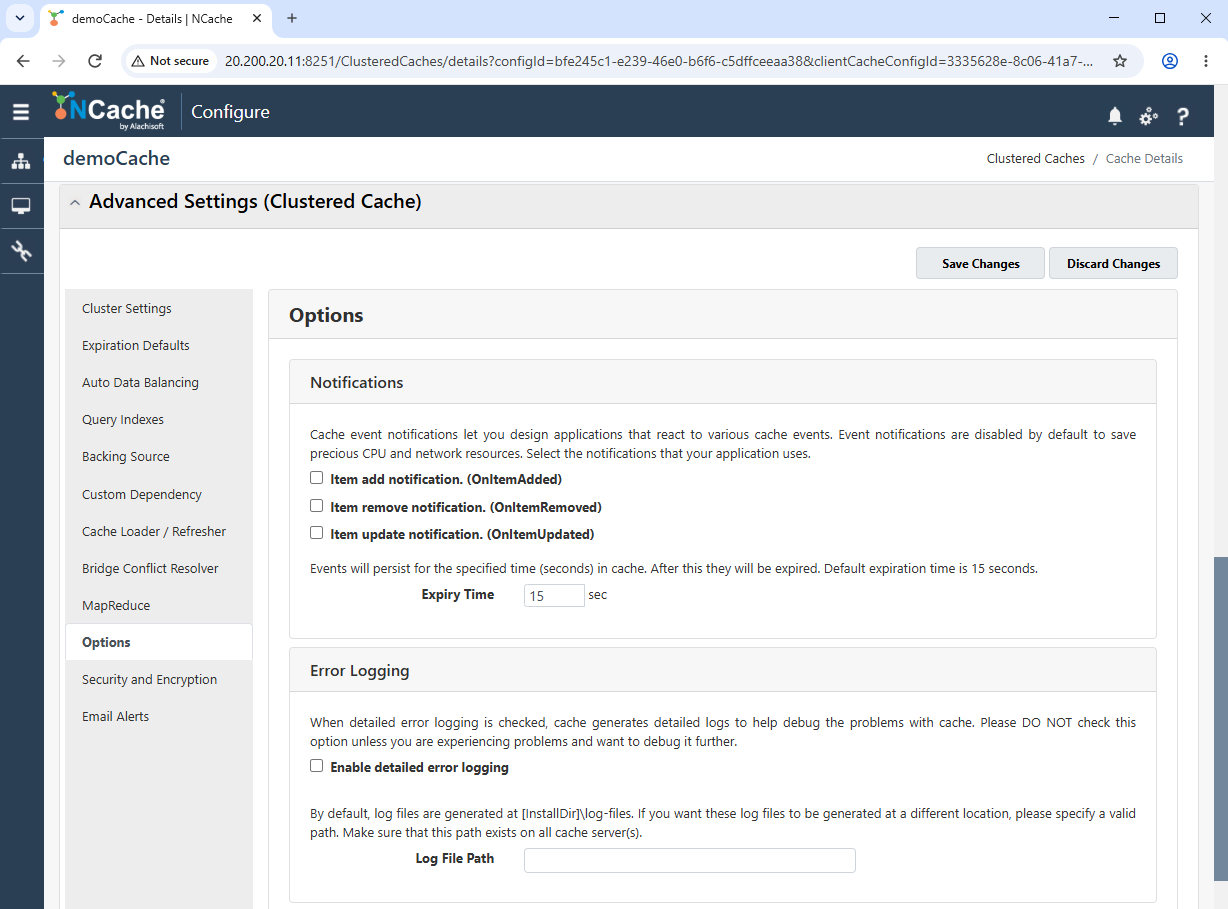
The Notifications section provides options for item-added, item-removed, and item-updated notifications. The Expiry Time field specifies how long event notifications are retained in the cache.
The Error Logging section provides separate logging options for the cache and its connected clients:
Enable error logging enables error logging for the cache.
Enable detailed error logging enables detailed logs for troubleshooting cache issues.
Log File Path specifies a custom location for cache log files.
Enable client error logging enables error logging for client applications connected to the cache.
Enable client detailed error logging enables detailed logging for connected client applications.
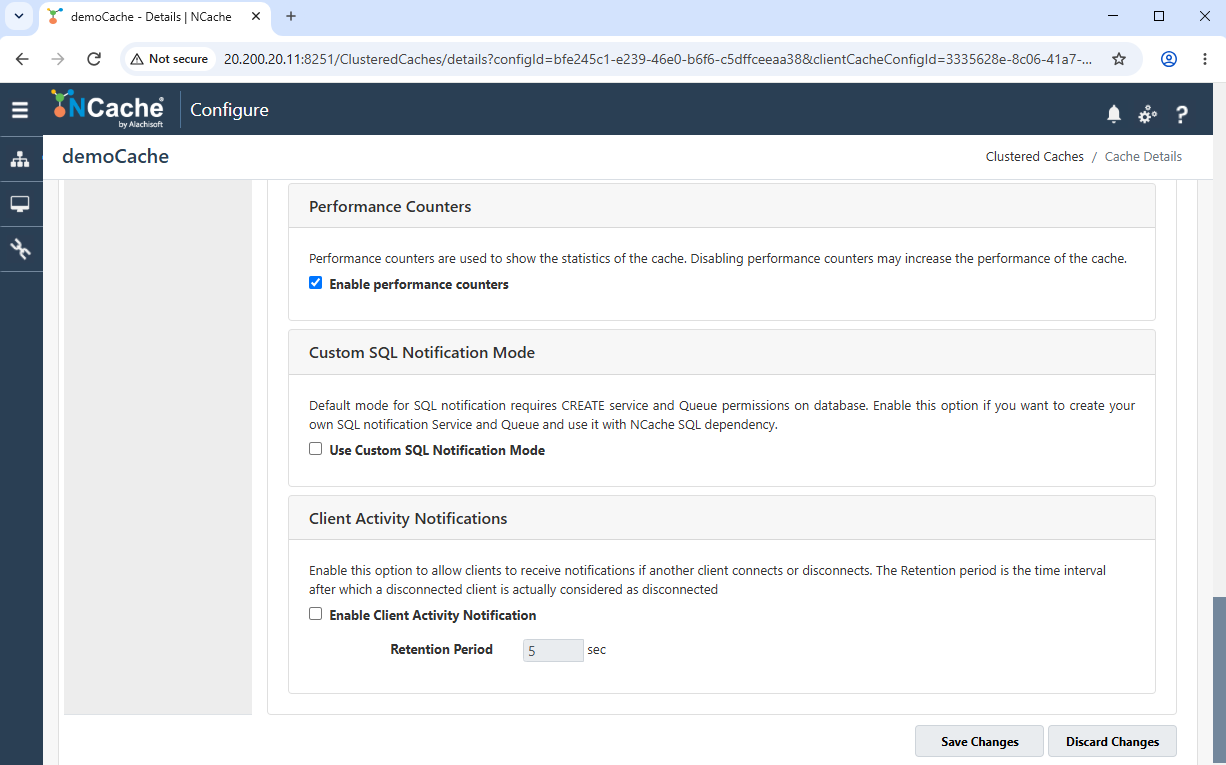
The Performance Counters section provides separate options to enable or disable performance counters for the cache and its connected client applications, including OutProc client caches.
The Custom SQL Notification Mode section allows you to use a custom SQL notification service and queue with NCache SQL dependency.
The Client Activity Notifications allows clients to receive notifications when another client connects or disconnects. The Retention Period field specifies the interval, in seconds, after which a disconnected client is considered disconnected.
Security and Encryption
The Security and Encryption page provides authorization and encryption settings for the clustered cache.
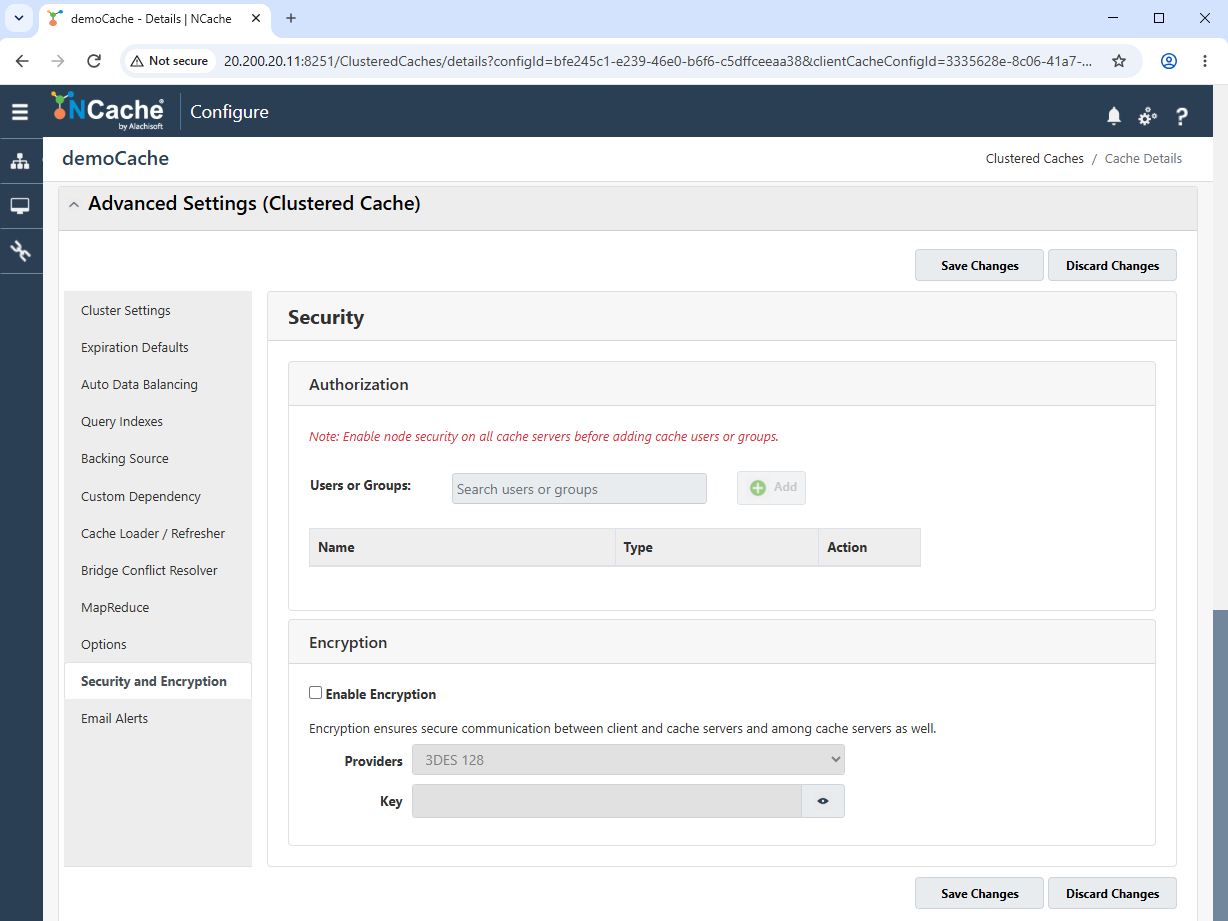
The Authorization section allows users or groups to be searched for and added to the cache authorization list. Node security must be enabled on the cache servers before users or groups can be added.
The Encryption section allows encryption to be enabled and provides fields for selecting an encryption provider and entering its key.
Email Alerts
The Email Alerts page provides SMTP and recipient settings for sending notifications when selected cache events occur.
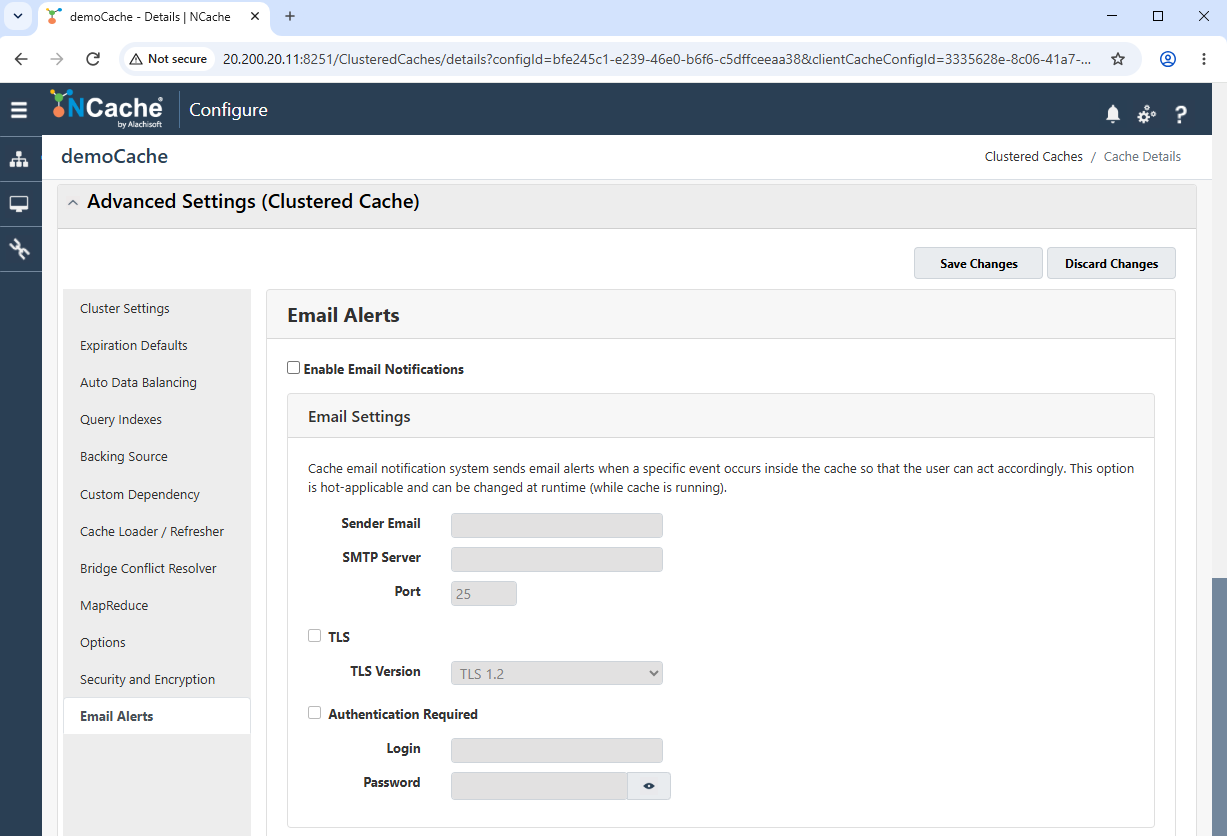
Select Enable Email Notifications to enable email alerts.
The Email Settings section contains fields for the sender email address, SMTP server, and port.
TLS can be enabled and a supported TLS Version can be selected.
SMTP authentication can be enabled by providing a login and password.
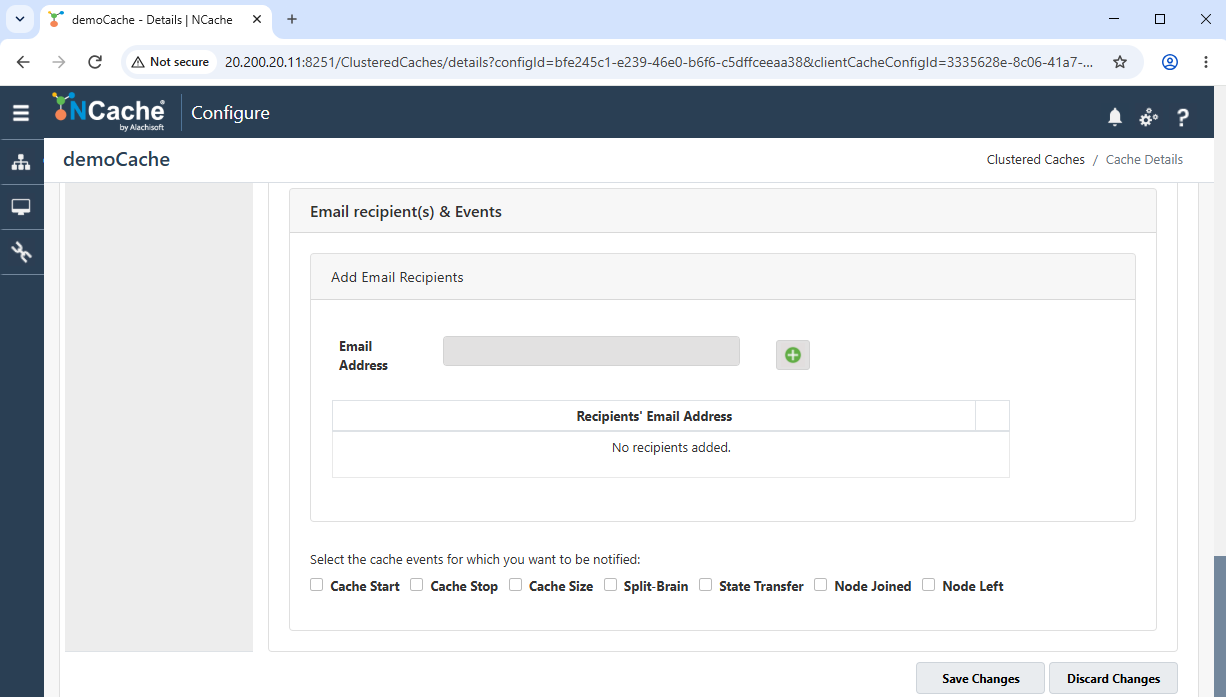
The Email recipient(s) & Events section allows recipient email addresses to be added and displays the configured recipients.
Notifications can be selected for the available events, including Cache Start, Cache Stop, Cache Size, Split-Brain, State Transfer, Node Joined, and Node Left.
At the bottom of this section, Save Changes and Discard Changes options are available to apply or revert modifications.
