Email Alerts for Event Notifications
NCache Email Alerts can be configured to receive email notifications when one or all of the below-mentioned events take place:
- Cache Start: When a cache cluster starts, an email reporting this change will be generated.
- Cache Stop: when a cache cluster stops, an email reporting this change will be generated.
- Cache Size: When the size of a cache reaches 80% of the Cache Max Size, an email reporting this change will be generated.
- Split-Brain: When a cache cluster undergoes split-brain, an email reporting this change will be generated. A Split-Brain occurs when one or more nodes of a cluster experience disconnection from the other nodes resulting in the formation of sub-clusters.
- Node Joined: When a node is added to the cluster or cache is started on an already existing node, an email reporting this change will be generated.
- Node Left: When a node leaves the cache cluster (becomes unresponsive for any reason), an email reporting this change will be generated.
- State Transfer: Whenever state transfer occurs within a cluster, an email reporting this change will be generated. State transfer happens when a node joins or leaves the cluster.
Email alerts can be configured only when the cache cluster is not running (cache has been stopped).
Follow the steps mentioned below to enable Email Alerts in NCache:
- Step 1: Launch NCache Web Manager and go to View Details cache cluster you want to configure email alerts against.
- Step 2: Go to the Advanced Settings tab and click on the Email Alerts option in the left bar.
- Step 3: Check Enable Email Notifications checkbox to enable the email alert feature.
- Step 4: Under the Email Settings box, enter Sender Email, SMTP Server, and Port.
- Step 5: Check the SSL Required checkbox if your SMTP server requires SSL authentication.
- Step 6: Check the Authentication Required checkbox if required and enter the login credentials.
- Step 7: Under the Email recipient(s) & Events block, add the email address(es) of the recipient(s) of these email alerts. And select the events you want to be notified about.
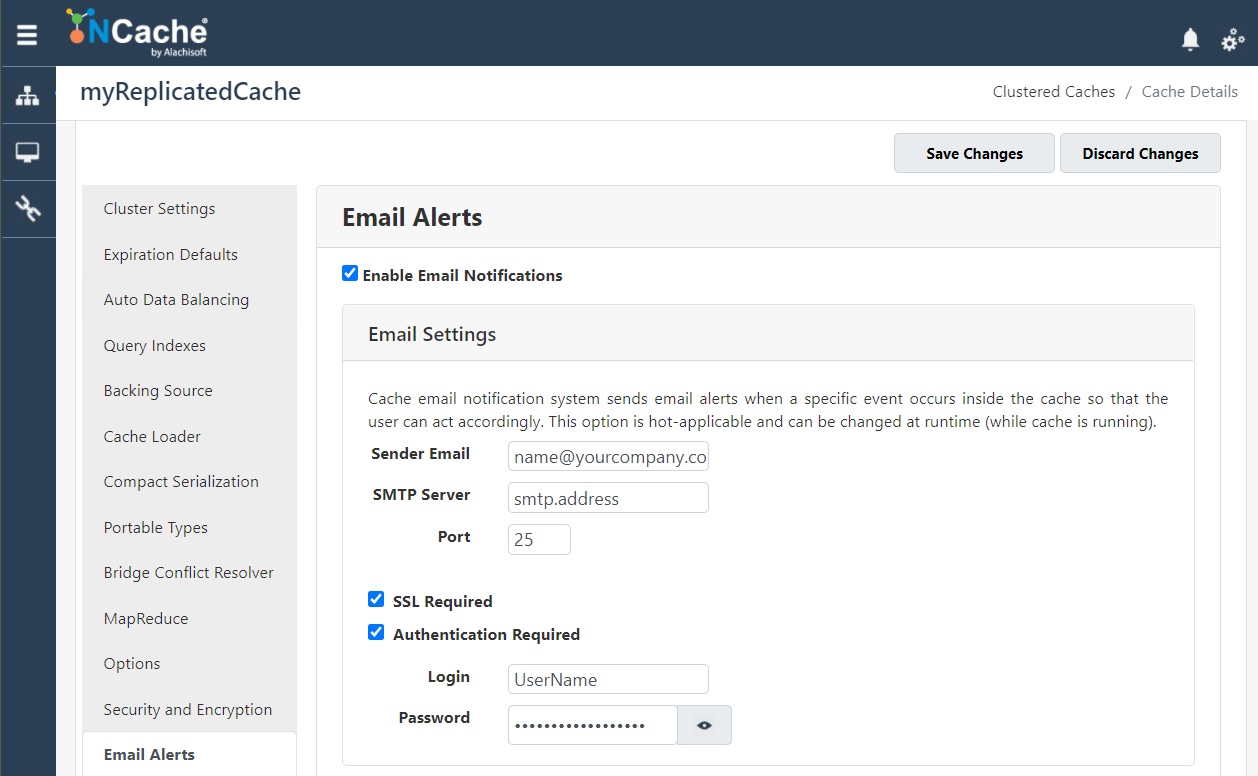
Enable Email Alerts in NCache
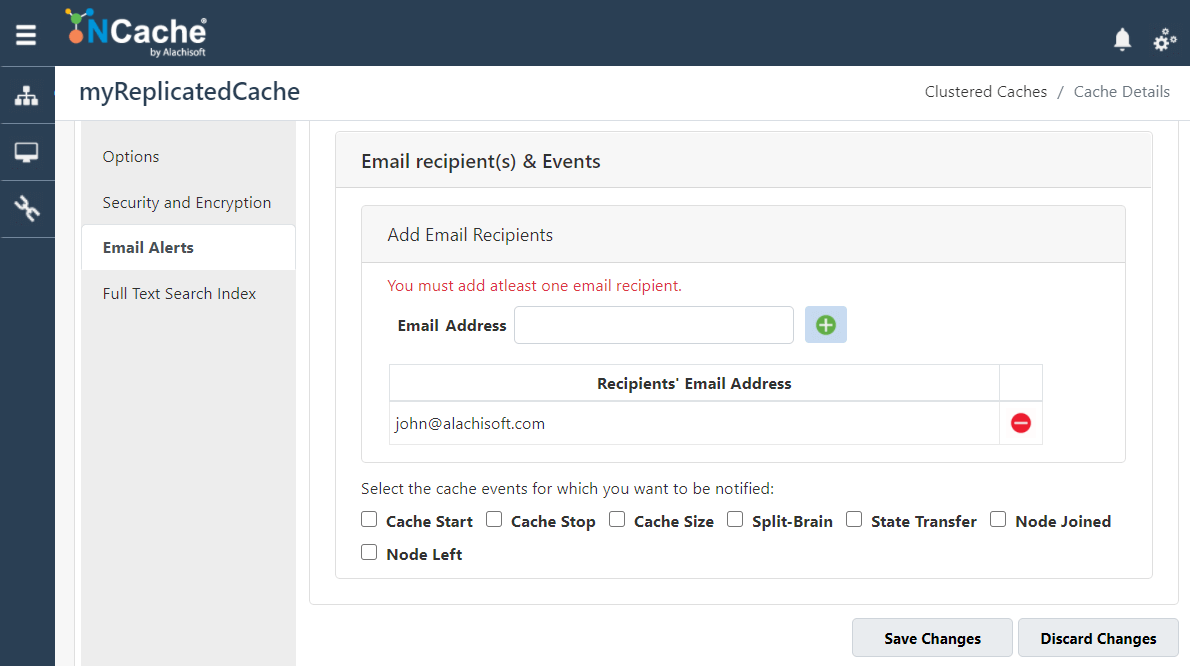
Email recipient(s) & Events
To apply these configurations, click the Save Settings button at the end.
Verify Alerts Feature
To verify whether email alerts have been successfully enabled against the selected events, you can do the following:
Let's suppose you enabled email alerts for Node Joined event. Go to your cache cluster and add a new node. If you receive an email on the email address you provided, this verifies that the email alerts have been successfully enabled. You can do this for any of the event you want to test.