Persistent Cache Interval
One of the important performance settings in NCache is the Persistent Cache Interval, a setting that dictates the intervals at which changes occurring in-memory are asynchronously synced to the backend Persistence Store. By configuring the Persistence Interval, administrators can balance data durability with system performance, ensuring that queued write operations are persisted at optimal intervals. You can configure Persistence Interval for your cache in the following ways.
How to Configure Persistence Interval via NCache Management Center
Launch the NCache Management Center by browsing to http://localhost:8251 or
<server-ip>:8251.In the left navigation bar, click on Clustered Caches or Local Caches, based on the cache for which you need to configure the settings. Select the cache name, click on View Details.
Important
Ensure the cache is stopped before proceeding.
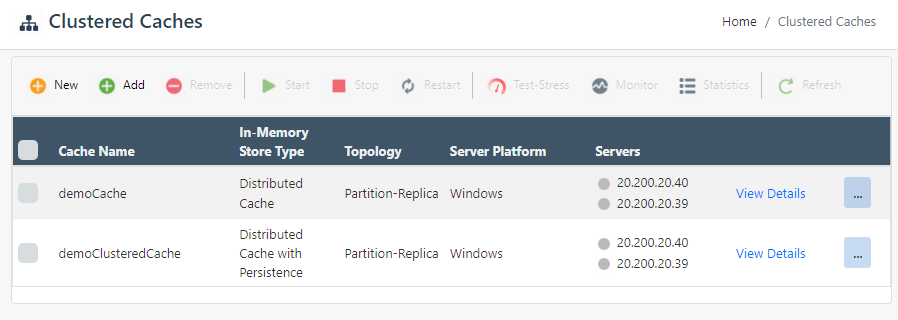
This opens up the detailed configuration page for the cache. Go to the Advanced Settings tab and click on Persistence Settings in the left bar.
Change the Persistence Interval in the tab.
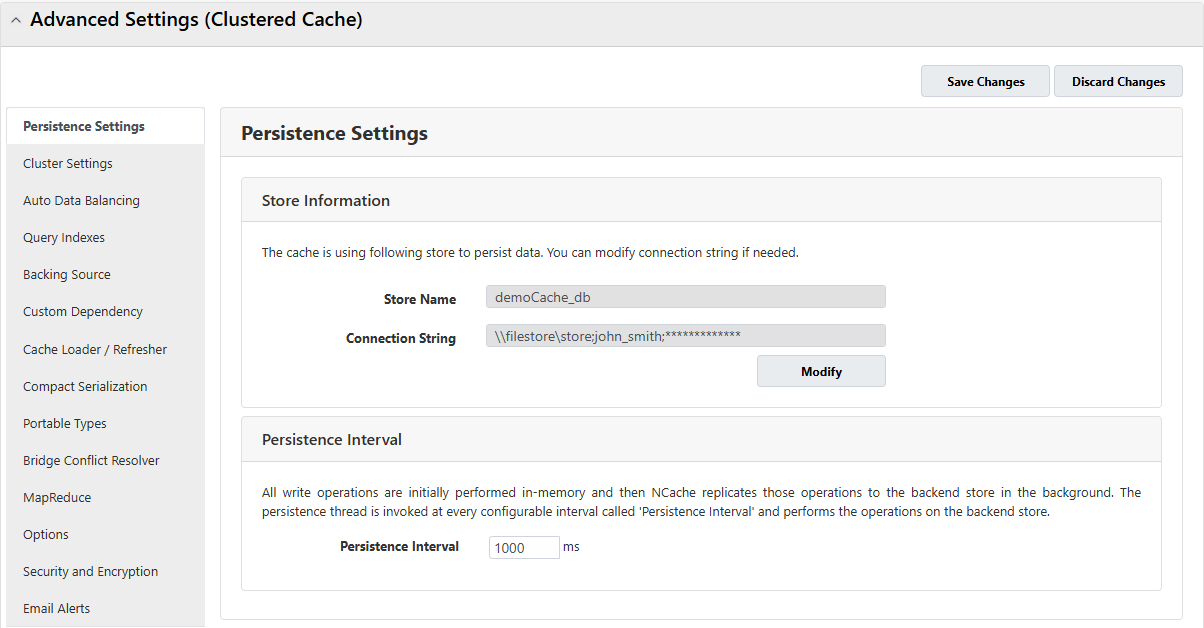
Click on Save Changes to apply this configuration to your cache.
Start the cache to resume operations.
Configure Persistence Interval Manually via config.ncconf
You can manually edit the NCache configuration file as explained below:
Important
Ensure the cache is stopped before making any configuration changes.
- Update the persistence interval for a cache in config.ncconf by specifying the
persistence-intervalin the<data-persistence>tag.
<data-persistence ...>
    <operation-setting persistence-interval="1000ms" persistence-retries="3" persistence-interval-longer="60sec"/>
</data-persistence>
- Once changes are made, start the cache, and restart the NCache Service.
See Also
Create Distributed Cache with Persistence
Distributed Cache with Persistence Counters
Configure NCache Persistence Settings
